What Is the Kode Dot Hacking Module? Features, Specs and Compatibility Explained

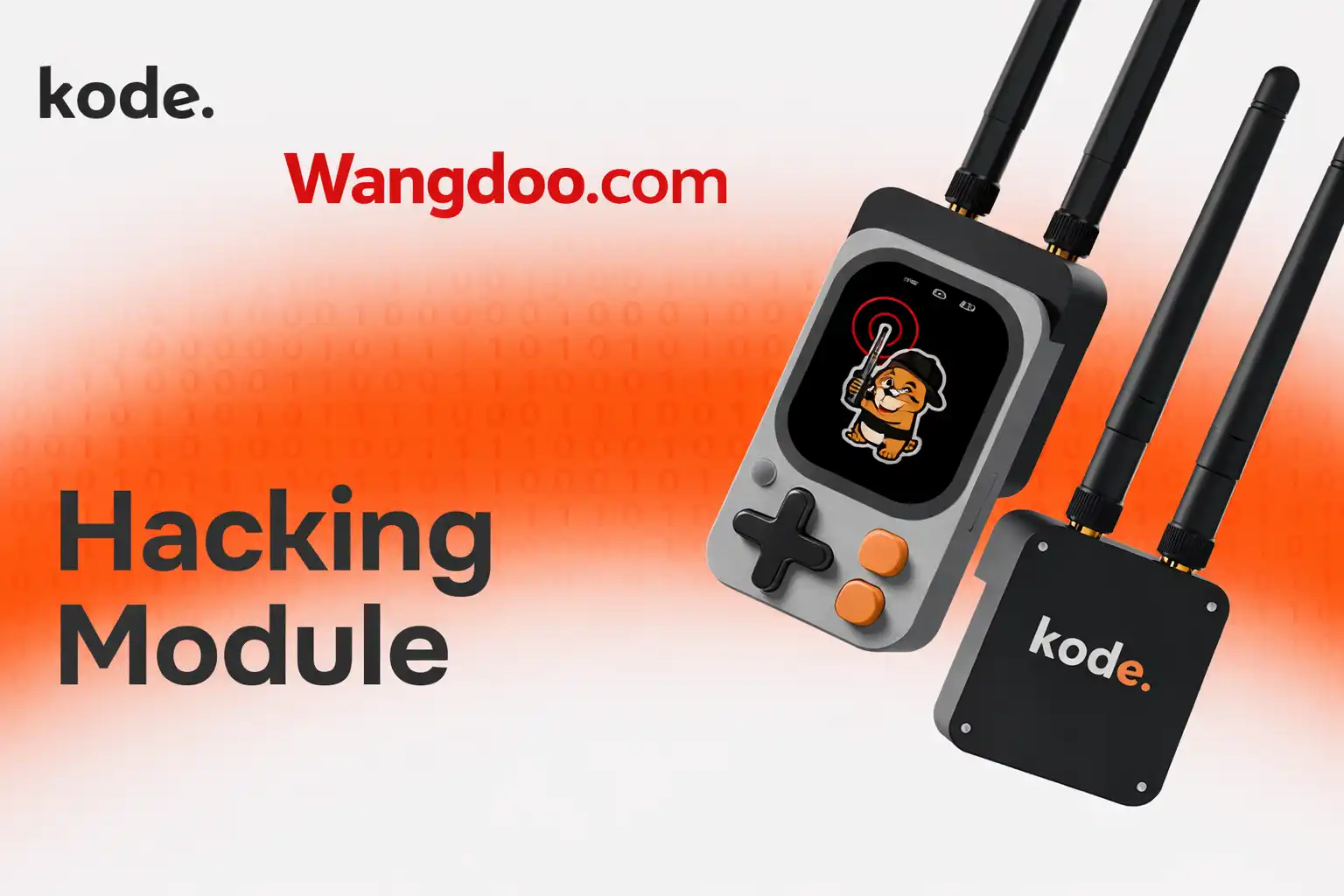
Kode Dot: What It Is, How kodeOS Works, and How It Compares to Flipper Zero
An open-source, pocket-sized maker device built around ESP32-P4 — with an AMOLED touchscreen, NFC, IR, 9-axis IMU, and a custom OS that turns Arduino code into installable apps. Everything confirmed about specs, price, and what it actually does.
Editorial transparency: Wangdoo has not physically tested the Kode Dot. This article is a factual overview based on the official Kickstarter campaign page, the Kode Dot official website (kode.diy), hands-on reporting by XDA Developers (December 2025), and technical analysis from New Atlas, GizmoCrowd, CNX Software, Hackster.io, and 513.toys. Wangdoo has no commercial relationship with Kode. All specifications cited are from primary sources. Where specs changed across campaign milestones, the latest confirmed configuration is used.
There is a problem that every maker, electronics student, and hardware hobbyist runs into eventually. You have an idea. Maybe it is a smart home sensor, a custom IoT device, a portable AI assistant, or a Meshtastic node for off-grid comms. So you pull out a development board, hunt for a compatible display module, wire a speaker to a breadboard, hunt down libraries, debug connections you didn’t build wrong — and by the time any of it works, half an evening is gone and you have not written a single line of actual application code.
The Kode Dot exists to eliminate that entire cycle. It is a pocket-sized, open-source device that ships with an ESP32-P4 chip, a 2.13-inch AMOLED touchscreen, NFC/RFID, IR transmit/receive, a 9-axis IMU, microphone, speaker, Wi-Fi, Bluetooth, and a microSD slot — all integrated into a single unit smaller than a deck of cards. More importantly, it runs kodeOS: a custom operating system that treats your uploaded sketches as proper installable applications with icons, menus, and persistent storage. You write code in Arduino IDE or PlatformIO, upload over USB-C, and it appears as a launchable app on the device. No reflashing. No losing your last project. No starting from scratch.
The Kode Dot is an open-source, all-in-one ESP32-P4 maker device running kodeOS — a custom OS that saves your Arduino/ESP-IDF code as installable apps on a 2.13″ AMOLED touchscreen. It includes NFC/RFID, IR blaster, 9-axis IMU, mic, speaker, Wi-Fi, Bluetooth, and GPIO expansion in a 73 × 43mm body. It raised over $1.75 million on Kickstarter. Kickstarter price: $129 (standard) / $132 (transparent edition). Retail: $169. Estimated shipping: July 2026. Shipping to US and EU: $15.
Kode Dot hands-on — AMOLED screen, kodeOS demo, and hardware walkthrough
Who Makes the Kode Dot and Why It Exists
The Kode Dot is made by Kode. — a small hardware team led by Luis Miguel Collado (CTO, firmware architecture and kodeOS) and Quero (CEO, product vision and community). The project started from a specific frustration: prototyping on standard development boards requires rebuilding the hardware stack from scratch every time, hunting for compatible displays, wiring components that should already be integrated, and constantly reflashing the board to switch between projects.
The team spent a year on design, went through multiple hardware iterations, and hand-assembled 50 beta units before launching the Kickstarter campaign in November 2025. The campaign launched with a $5,000 goal — a formality — and raised over $1.75 million, establishing it as one of the most-funded maker hardware projects of 2025-2026. After the Kickstarter closes, Kode. has committed to releasing all hardware and kodeOS firmware as open source on GitHub, including design files, documentation, and source code.
Full Confirmed Specifications
The Kode Dot’s chip was upgraded mid-campaign from the original ESP32-S3 to a dual microcontroller platform: ESP32-P4 + ESP32-C6. This upgrade applies to all backers automatically. XDA Developers’ beta unit used the ESP32-S3; the production unit ships with the upgraded platform. All specs below reflect the final production configuration.
| Specification | Kode Dot (Production) |
|---|---|
| Main chip | ESP32-P4 (dual-core, high-performance) + ESP32-C6 (Wi-Fi 6 / Bluetooth 5) |
| Display | 2.13-inch AMOLED capacitive touchscreen — colour, crisp, fast touch latency |
| Dimensions | 73 × 43mm — pocketable, smaller than most smartphones |
| Operating system | kodeOS — custom app launcher with icon-based app management |
| Wireless | Wi-Fi + Bluetooth (via ESP32-C6) |
| NFC / RFID | Yes — read and emulate (unlocked via $250K stretch goal) |
| IR | IR transmitter + IR receiver (unlocked via $100K stretch goal) |
| IMU | 9-axis (accelerometer + gyroscope + magnetometer) |
| Audio | Integrated microphone + speaker |
| Vibration | Yes — vibration motor (stretch goal) |
| Storage | microSD card slot — stores apps, assets, data |
| GPIO | 14 GPIO pins supporting I²C, SPI, UART, PWM |
| Connectivity ports | Top + bottom expansion connectors for modules |
| Power | Rechargeable Li-Po battery + USB-C charging (5V / 2A) |
| Power management | PMIC + fuel gauge — real battery level readings |
| Development environments | Arduino IDE, PlatformIO, Espressif IDF — no additional setup required |
| Open source | Hardware + kodeOS goes fully open source post-Kickstarter on GitHub |
| Kickstarter price | $129 standard / $132 transparent “Collector’s Choice” edition |
| Retail price | $169 (confirmed post-campaign retail) |
| Shipping | $15 to US and EU — Kode handles customs |
| Estimated shipping date | July 2026 |
What Is kodeOS and Why It Matters
Every ESP32 development board ships with the same fundamental limitation: each code upload replaces everything previously on the device. Want to switch projects? Reflash the whole board. Want to demo three prototypes at a maker fair? Bring three boards, or flash and wait between each demo. kodeOS is specifically designed to eliminate this.
When you upload a sketch to the Kode Dot — using exactly the same Arduino IDE or PlatformIO workflow you already know — kodeOS saves it to the microSD card as an independent app with its own icon, name, and interface. It appears in a graphical launcher on the AMOLED touchscreen. To switch to another project, you just tap it in the menu. To share an app with another Kode Dot user, you copy the file from the microSD card — the same way you share a file from any device.
Write code in Arduino IDE or PlatformIO
No new tools, no new languages. kodeOS is fully compatible with the existing ESP32 ecosystem — your existing libraries, workflows, and coding style work without modification. Beginners can start with Arduino; advanced users can use ESP-IDF directly.
Upload via USB-C
Connect the Kode Dot to your computer and upload as normal. kodeOS intercepts the upload and saves it as a named application on the microSD card — complete with icon, menu entry, and persistent storage.
Launch from the app menu
Your project appears in the kodeOS launcher on the AMOLED touchscreen. Tap to run it. Tap back to return to the menu. Switch between multiple stored projects without reflashing anything.
Share or deploy
Copy the app file from the microSD card to share it with other Kode Dot users, or to back it up. The device operates fully independently — no computer connection required in the field.
What Can You Build With the Kode Dot?
Because the Kode Dot is an open development platform with Wi-Fi, Bluetooth, NFC, IR, IMU, audio, and GPIO all integrated, the use cases span a very wide range. The following are confirmed real-world project types documented by the community and Kode. themselves — not speculative capabilities.
Smart Home Controller
Use IR blaster to control TVs, ACs, and appliances. Combine with GPIO to trigger relay modules. Voice-activate via the built-in mic connected to GPT or Gemini over Wi-Fi.
NFC / RFID Projects
Read, write, and emulate NFC tags. Build access control prototypes, contactless data loggers, interactive art installations, or inventory tracking systems.
Voice AI Assistant
Connect to ChatGPT or Google Gemini via Wi-Fi. Speak commands into the mic, receive responses through the speaker or trigger GPIO actions — field AI without a phone.
Meshtastic Node
With the optional LoRa module ($149 bundle), run Kode Meshtastic firmware for off-grid mesh communications — relevant for hiking, emergency comms, and field research.
IoT Sensor Logger
Log environmental sensor data to the microSD card in the field without a laptop. GPS, temperature, air quality — bring your own sensors via GPIO and collect data independently.
Portable Games + Demos
The AMOLED touchscreen and 9-axis IMU make it capable of 2D games, data visualisations, and motion-controlled applications — the built-in “Hammy” character is a taste of this.
Security Research
With the separate Hacking Module (Sub-GHz, 5GHz Wi-Fi), capable of network scanning, pentesting workflows, and wireless protocol analysis. For use only on networks and devices you own or have authorisation to test.
Education and Learning
kodeOS removes hardware setup friction for students — they upload a sketch and immediately see it running as an app, without debugging connections or fighting with libraries.
Advanced security and pentesting features — including Sub-GHz radio and 5GHz Wi-Fi scanning — require the separately purchased Hacking Module, which is not included in the base $129 Kode Dot. These features are designed for ethical security research and should only be used on networks and devices you own or have explicit permission to test. The Kode Dot’s base device is a development platform, not a preconfigured pentesting tool.
Kode Dot vs Flipper Zero — Full Comparison
| Feature | Kode Dot | Flipper Zero |
|---|---|---|
| Primary purpose | Creation / prototyping / development | Security research / pentesting / RF exploration |
| Main chip | ESP32-P4 + ESP32-C6 (dual MCU) | STM32WB55 (Cortex-M4 application core) |
| Display | 2.13″ AMOLED colour touchscreen | 1.4″ monochrome LCD (no touch) |
| Operating system | kodeOS — app-based, installable sketches | Flipper OS — menu-driven, firmware-based |
| App model | Upload Arduino sketch → saved as app with icon | Install apps via Flipper App hub or custom firmware |
| Wi-Fi | Built in (ESP32-C6, Wi-Fi 6) | Not built in — requires Wi-Fi Developer Board add-on |
| Bluetooth | Built in | Built in |
| NFC / RFID | Built in (stretch goal — all backers receive it) | Built in |
| IR transmitter + receiver | Built in (stretch goal — all backers receive it) | Built in |
| Sub-GHz radio | Requires separate Hacking Module (additional cost) | Built in (315/433/868/915 MHz) |
| Microphone | Built in | Not built in |
| Speaker | Built in | Built in (piezo) |
| 9-axis IMU | Built in (accel + gyro + magnetometer) | Not built in |
| GPIO expansion | 14 pins (I²C, SPI, UART, PWM) + module connectors | 8 pins via GPIO header |
| AI integration | Voice commands via mic → ChatGPT/Gemini over Wi-Fi | Not a core feature |
| Development environment | Arduino IDE, PlatformIO, ESP-IDF — standard tools | Flipper SDK (C/C++) — steeper learning curve |
| Open source status | Full open source post-Kickstarter (hardware + firmware) | Open source (firmware on GitHub) |
| Price | $129 (Kickstarter) / $169 retail | ~$169 USD / €229 EU — verify current price at flipperzero.one |
| Availability | Ships July 2026 | Available now |
| Massmain audience | Makers, developers, educators, IoT builders | Security researchers, RF enthusiasts, pentesters |
When to Choose the Kode Dot
The Kode Dot is the better choice if your primary goal is building things: IoT devices, AI assistants, sensor loggers, home automation tools, portable apps, or anything that benefits from a proper development workflow. The kodeOS app model, AMOLED touchscreen, built-in microphone, and ESP32-P4 processing power make it significantly more capable as a development platform than the Flipper Zero.
When to Choose the Flipper Zero
The Flipper Zero is the better choice if your primary focus is wireless security research — specifically sub-GHz radio protocol analysis (garage door openers, car key fobs, industrial remotes) and RF signal capture and replay. The built-in sub-1GHz transceiver is Flipper Zero’s strongest hardware differentiator and is not replicated in the base Kode Dot without buying the separate Hacking Module. The Flipper Zero is also available right now, with an established community and five years of firmware development.
The Flipper Zero asks: “What signals can I read and replay?” The Kode Dot asks: “What can I build and run?” They solve different problems for different users — and increasingly, serious makers own both.
The Kickstarter Campaign — What Happened
The Kode Dot launched on Kickstarter in November 2025 with a $5,000 goal. The goal was hit immediately. The campaign raised over $1.75 million from thousands of backers, making it one of the most-funded open-source maker hardware campaigns in recent years.
The funding milestone structure added significant hardware to every backer’s unit at no additional cost:
- $100,000 — IR transmitter and receiver unlocked for all backers
- $250,000 — NFC and RFID integration unlocked for all backers
- Further milestones added the vibration motor and upgraded the chip from ESP32-S3 to the dual ESP32-P4 + ESP32-C6 platform
Every stretch goal hardware upgrade shipped automatically to all backers — early supporters and late joiners received identical hardware. The campaign closed with production scheduled for March 2026 and shipping estimated for July 2026.
Who Is the Kode Dot For?
The Kode Dot is a development tool, not a consumer gadget. You need to be comfortable writing code — in Arduino IDE, PlatformIO, or at minimum willing to learn. The hardware removes the setup friction, but building projects still requires programming knowledge. kodeOS makes the experience significantly friendlier than a bare development board, but it is not a no-code device.
With that said, the range of people who can genuinely use it is wider than a typical ESP32 dev board:
- Experienced makers and hardware hackers — get everything in one device without building a hardware stack
- Electronics students — kodeOS removes hardware setup, letting students focus on learning to code rather than debugging wiring
- IoT developers — Wi-Fi, GPIO, sensors, and persistent app storage in a field-deployable form factor
- Cybersecurity students — NFC, IR, and (with Hacking Module) network scanning, in a legal development context
- Educators and workshop leaders — kodeOS’s app model makes demos and teaching practical without per-student reflashing
- Existing Flipper Zero owners — add a proper development platform alongside a pentesting tool
Frequently Asked Questions
What is the Kode Dot?
What is kodeOS and how is it different from regular Arduino firmware?
How does the Kode Dot compare to the Flipper Zero?
Does the Kode Dot include NFC and IR out of the box?
Can the Kode Dot connect to ChatGPT or other AI models?
What programming languages and tools work with the Kode Dot?
When does the Kode Dot ship and how much does it cost?
Is the Kode Dot open source?
What is the difference between the Kode Dot and a standard ESP32 development board?
Sources & References
- Kode Dot Official Kickstarter Campaign — November 2025
- Kode. Official Website — kode.diy
- XDA Developers — Kode Dot Beta Unit Hands-On, December 2025
- New Atlas — Kode Dot: The AI Creator Multitool, December 2025
- GizmoCrowd — Kode Dot Device on Kickstarter, February 2026
- CNX Software — Kode Dot ESP32 Devkit, November 2025
- Hackster.io — Kode Dot Open-Source Maker Device, by Luis Miguel Collado
- 513.toys — Kode Dot vs Flipper Zero Analysis, December 2025