Comet Q: The World’s First Cross-OS Remote Control for Your Mobile Device

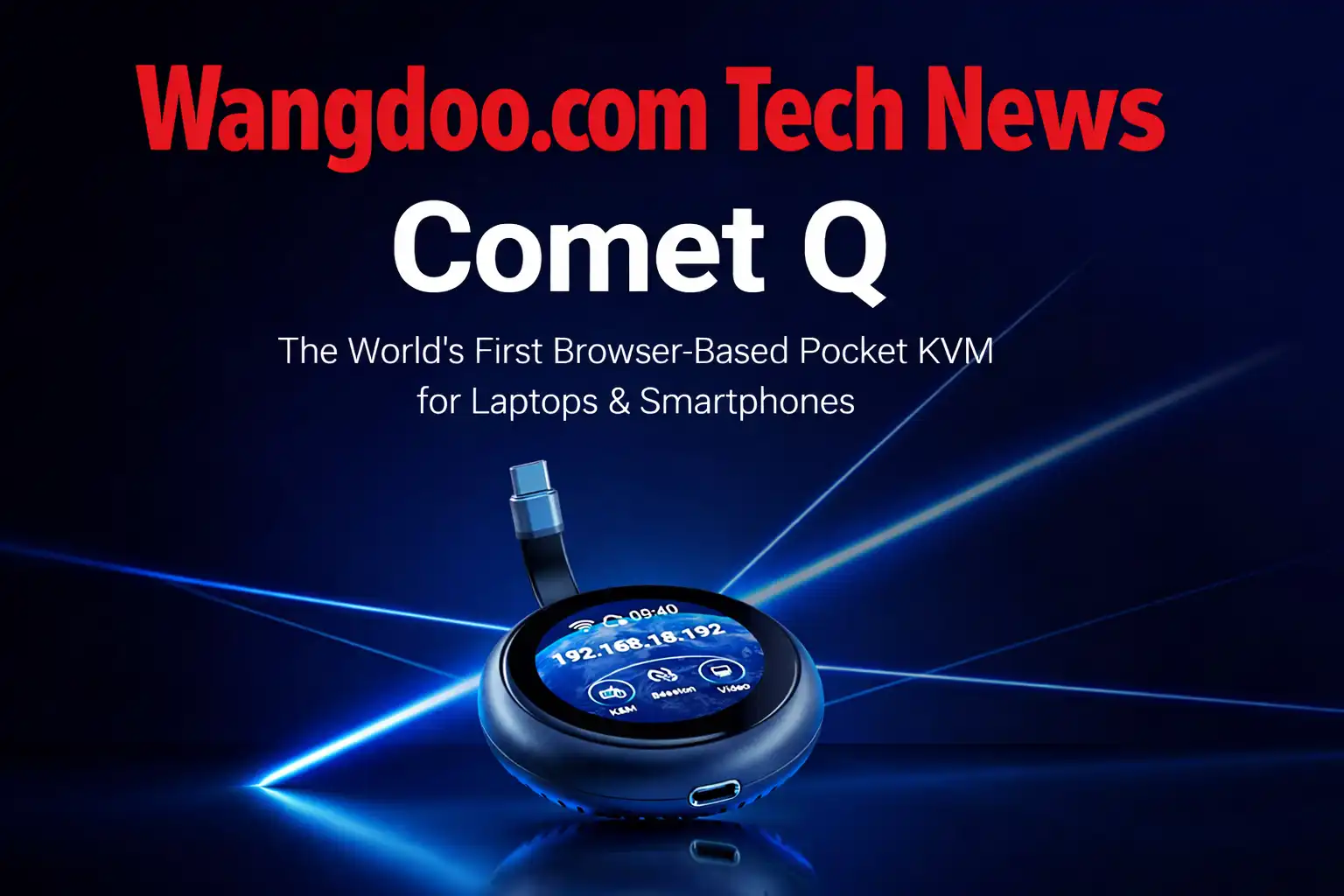
GL.iNet Comet Q Explained: What Is a USB-C KVM and Why Can It Control Your iPhone From Anywhere in the World?
Remote access hardware has always required a tangle of cables and IT expertise. The Comet Q changes that with a single USB-C connection — and becomes the first device in history that can fully control an iPhone from another device. Here’s what it is, how it works, and who actually needs one.
Most people have never needed to remotely control a computer they couldn’t physically reach. But the moment you leave your laptop at the office with a file you urgently need, or your phone dies and you want to check it from another device, or your Mac mini stops responding and you’re three countries away — you suddenly understand why remote access exists.
The problem is that proper remote access has always been complicated. It required special software running on both devices. It needed the operating system to be awake and connected to the internet. It only worked within the same ecosystem — Windows to Windows, Mac to Mac. And phones? Completely off-limits. No remote access tool in the world could reliably control an iPhone from another device. Until now.
On June 3, 2026, GL.iNet — a 16-year-old Hong Kong networking company with a strong reputation in the open-source networking community — launched the Comet Q on Kickstarter. It is a puck-shaped device roughly the size of a large coin, and it does something genuinely new: it gives you full, hardware-level control of any USB-C device — laptop, Android phone, iPad, Mac mini, or iPhone — from any browser, on any other device, from anywhere in the world. With one cable.
The GL.iNet Comet Q (GL-RMQ1) is a pocket-sized USB-C KVM device that lets you remotely control laptops, phones, tablets and mini PCs through a browser — no software installation, no drivers, no complicated setup. It operates at the hardware level, meaning it works even when the controlled device is asleep, locked, crashed, or offline. It is the first KVM device in the world that supports iPhones. Early bird Kickstarter pricing starts at $79, with MSRP of $129.99. Shipping is expected August 2026.
Official GL.iNet Comet Q demo — May 4, 2026. All rights respective owner.
What Is a KVM and Why Has It Always Been Complicated?
KVM stands for Keyboard, Video, Mouse — the three things you need to control a computer. A KVM device sits between two machines and lets one control the other, transmitting the screen output of the controlled machine while sending keyboard and mouse signals back to it.
Traditional KVM setups were built for data centres and server rooms. They involved HDMI cables for video, separate USB cables for keyboard and mouse input, an Ethernet cable for network access, and a power cable. That’s four cables minimum, before you’ve even configured the software. Getting everything working required technical knowledge most people simply don’t have.
Imagine your laptop is a car parked in a garage. Normal remote access software is like phoning a friend and telling them how to drive it — it only works if your friend can hear you (the OS is running), if the car is unlocked (you’re logged in), and if they know how to drive (the software is installed). A KVM device is different. It’s like physically sitting in the driver’s seat remotely — you can start the engine from scratch, see exactly what’s happening on the dashboard, and take full control even if the car was completely switched off. The Comet Q is that physical seat, delivered through a single USB-C cable.
Software-based remote access tools like TeamViewer, AnyDesk, or Chrome Remote Desktop are useful but have hard limits. They require an active internet connection on the controlled device. They can’t access the BIOS or work during the boot process. They fail completely if the OS crashes. And they are locked to their own ecosystems — you cannot use any of them to control an iPhone from a Windows laptop. The operating system simply doesn’t permit it.
What Makes the Comet Q Different From Everything Before It
The Comet Q solves all of these problems at once by operating at the hardware level rather than the software level. Because it physically intercepts the display output and input signals through USB-C, it doesn’t care what operating system the controlled device is running — or whether the OS is running at all.
“For a regular person who just wants to remotely access their computer while they’re away, a four-cable traditional KVM setup is really too much. We kept asking ourselves: what’s the minimum number of cables required for this to work? We wanted the answer to be one.”
The single USB-C cable connecting the Comet Q to the target device carries four things simultaneously — video output from the device, input signals (keyboard and mouse) back to the device, power delivery to keep the device charged during long sessions, and two-way audio. That’s the entire control relationship through one connection.
The Comet Q itself connects to your Wi-Fi network independently. So even if the controlled laptop is completely offline, completely frozen, or in the middle of a firmware update — the Comet Q stays online and gives you access. You open a browser on any other device, navigate to the Comet Q’s web interface, and you’re in full control. No app to install. No account to create. No configuration beyond plugging in.
The iPhone Capability — Why This Has Never Been Possible Before
The most technically significant thing about the Comet Q is its iPhone support. GL.iNet describes it clearly: this is the first KVM device in the world that supports iPhones. That statement deserves explanation because most people will wonder why something that sounds straightforward has never existed before.
Apple’s iOS has historically made remote access from external devices essentially impossible by design. Unlike Android, which allows various levels of USB debugging and screen mirroring through ADB (Android Debug Bridge), iOS does not expose its display output or input layer in a way that software-based remote access tools can intercept. Apple’s security model treats the device’s screen and input system as exclusively local.
The Comet Q bypasses this entirely by working at the hardware layer rather than the software layer. The iPhone 15 and later models introduced USB-C ports that support DisplayPort Alt Mode — meaning the port can output a full display signal over USB-C exactly as a laptop would. The Comet Q reads that signal directly, just as a monitor would. It then intercepts the display and simulates touch input back through the USB connection, allowing you to tap, swipe, and operate the iPhone’s interface remotely as if you were holding it.
iPhone support requires USB-C with DisplayPort Alt Mode. This means iPhone 15 and iPhone 16 series are supported. iPhone 14 and earlier use Lightning connectors and are not compatible. Also excluded are the iPhone 16e, iPhone 17e and iPhone Air, which have USB-C but do not support DisplayPort Alt Mode. Always check GL.iNet’s compatibility list before purchasing if iPhone support is your primary use case.
Full Technical Specifications
| Specification | Detail |
|---|---|
| Model | GL-RMQ1 (Comet Q) |
| Processor | Dual-core ARM Cortex-A53 |
| RAM | 512MB |
| Storage | 512MB NAND flash |
| Video Capture | 2K QHD @ 60fps |
| Latency | ~80ms over local network |
| Wi-Fi | Wi-Fi 6 (802.11ax) — built in |
| Display | 1.8-inch touchscreen LCD |
| Connection | Single USB-C cable (video + data + audio + power delivery) |
| Power | Draws power from controlled device · Optional second USB-C port for passthrough charging |
| Operating System | Linux (Buildroot) |
| Access Method | Web browser · GLKVM app (Windows, macOS, Android, iOS) |
| VPN Support | Tailscale and ZeroTier built in |
| Dimensions | 70mm diameter · 22mm thick |
| Kickstarter Price | $79 early bird · $129.99 MSRP |
| Expected Shipping | August 2026 |
Device Compatibility: What Works and What Doesn’t
The Comet Q works with any device whose USB-C port supports DisplayPort Alt Mode. This is the critical requirement. Most modern USB-C devices support it, but not all — and a few notable exceptions catch buyers out.
✓ Compatible
- ✓ iPhone 15 and iPhone 16 series
- ✓ iPad Pro (2018 and newer)
- ✓ iPad Air (4th generation and newer)
- ✓ iPad mini (6th generation and newer)
- ✓ iPad (10th generation and newer)
- ✓ MacBook Pro and MacBook Air (USB-C models)
- ✓ Mac mini (all USB-C models)
- ✓ Most Windows laptops with USB-C
- ✓ Samsung Galaxy S8+, Note 8+, Z Fold/Flip, Tab S series
- ✓ Most Linux laptops with USB-C
- ✓ Mini PCs with USB-C DisplayPort
✗ Not Compatible
- ✗ iPhone 14 and earlier (Lightning)
- ✗ iPhone 16e, iPhone 17e and iPhone Air (USB-C but no DP Alt Mode)
- ✗ iPads without USB-C (older models)
- ✗ Devices with USB-C charging-only ports (no video output)
- ✗ Some budget Android phones without DP Alt Mode
- ✗ Devices with only HDMI or Thunderbolt 3 without USB-C DP
How Remote Access Actually Works: Step by Step
Understanding the Comet Q’s workflow removes most of the mystery around why it’s useful. Here is the actual process from start to finish.
You plug the Comet Q’s built-in USB-C cable into the device you want to be able to control — your laptop at the office, your iPhone at home, your Mac mini in another room. The Comet Q draws power from that device and joins your Wi-Fi network. A small 1.8-inch touchscreen on the Comet Q shows you its IP address and status.
From that point, to access the controlled device remotely, you open a browser on any other device — a Windows laptop, an Android tablet, another iPhone, anything at all — navigate to the Comet Q’s web interface or use the GLKVM app, and you see a live 2K stream of the controlled device’s screen. You can click, tap, type, scroll, and interact with it exactly as if you were holding it or sitting in front of it.
For access from outside your home or office network — from another country, on a different Wi-Fi network entirely — the Comet Q has built-in support for Tailscale and ZeroTier. These are zero-configuration VPN tools that create a secure private tunnel between the Comet Q and your remote device without requiring you to open firewall ports or configure your router. You set them up once and the connection is always available.
Because the Comet Q operates at the hardware level, it can do things software remote access tools cannot. You can access a device’s BIOS or UEFI settings before the operating system even loads. You can reinstall an operating system remotely. You can troubleshoot a device that has completely crashed and is stuck at a black screen. You can access a phone that has just been factory reset and needs initial setup. None of these scenarios are possible with TeamViewer, AnyDesk, or any other software-based remote access tool.
Comet Q vs Software Remote Access: How They Compare
| Feature | Comet Q | TeamViewer / AnyDesk | Chrome Remote Desktop |
|---|---|---|---|
| Works if OS is crashed | ✓ Yes | ✗ No | ✗ No |
| Works if device is asleep | ✓ Yes | ✗ No | ✗ No |
| Works if device is offline | ✓ Yes (Comet Q stays online) | ✗ No | ✗ No |
| BIOS / boot access | ✓ Yes | ✗ No | ✗ No |
| iPhone support | ✓ Yes (iPhone 15+) | ✗ No | ✗ No |
| Android support | ✓ Yes | ⚠ Limited | ✗ No |
| Cross-OS control | ✓ Yes | ⚠ Same-OS only | ⚠ Limited |
| Software installation required | ✓ None | ✗ Both devices | ✗ Both devices |
| Hardware required | ✗ Yes ($79–$130) | ✓ No (software only) | ✓ No (software only) |
| Works without internet on target | ✓ Yes | ✗ No | ✗ No |
Who Is the Comet Q Actually For?
The VPN Layer: Why Tailscale and ZeroTier Matter
The Comet Q’s built-in support for Tailscale and ZeroTier deserves specific mention because it solves a problem that has frustrated home users trying to access their devices remotely for years.
Traditionally, accessing a device on your home network from outside required configuring port forwarding on your router — opening specific network ports and directing traffic to the right device. This is technically fiddly, potentially insecure if done incorrectly, and impossible on many modern home routers or ISP-controlled hardware.
Tailscale and ZeroTier both create an encrypted private network between your devices without requiring any router configuration. Each device joins the network, and they find each other automatically regardless of what network they’re on. The Comet Q joins this private network when you set it up, and from that point your remote device can always find and access it securely — from any location, on any network, without touching your router settings.
My Take — Mr Wangdoo
The thing that keeps surprising me about the Comet Q is how obvious it seems in retrospect. Of course you should be able to control your phone remotely. Of course remote access hardware should require one cable instead of four. Of course it should work through a browser without installing anything. None of these ideas are technically radical. What’s interesting is that nobody managed to put them together into a single affordable device before now.
The iPhone support is the detail I keep returning to. Apple has spent fifteen years making sure no one could control an iPhone remotely from the outside. The Comet Q doesn’t hack around iOS security — it doesn’t need to. It operates below the operating system, at the hardware video layer, which iOS has no authority over. That’s an elegant solution to what seemed like an insurmountable platform restriction.
Whether this is the right device for you depends entirely on whether you’ve ever left a device somewhere and wished you could reach it. If the answer is never — skip it. If the answer is occasionally — the $79 early bird price is worth thinking about. If the answer is regularly — this is probably one of the most genuinely useful pieces of hardware you’ll buy in 2026.
Frequently Asked Questions
What exactly does the GL.iNet Comet Q do?
The Comet Q is a small hardware device that lets you remotely control another device — a laptop, iPhone, iPad, Android phone, or mini PC — from any browser on any other device, from anywhere in the world. You plug it into the target device via USB-C, it connects to your Wi-Fi, and you can then see and interact with that device’s screen remotely as if you were holding it or sitting in front of it. It works even if the controlled device is asleep, locked, or offline.
Can it really control an iPhone remotely?
Yes — but only iPhone 15 and iPhone 16 series (excluding iPhone 16e and iPhone Air). These models have USB-C ports that support DisplayPort Alt Mode, which allows the Comet Q to receive the iPhone’s display output and send input back through the same cable. Earlier iPhones use Lightning connectors and are not compatible. This is the first device in the world to offer genuine hardware-level remote control of an iPhone.
Do I need to install any software on the device I want to control?
No. The Comet Q operates at the hardware level, meaning it requires no software installation, no driver setup, and no account creation on the controlled device. You simply plug it in. To access the controlled device from another location, you open a browser on any device and navigate to the Comet Q’s web interface, or use the free GLKVM app on Windows, macOS, Android, or iOS.
How does it work if the controlled device is offline or crashed?
The Comet Q connects to your Wi-Fi network independently of the device it’s plugged into. It stays online even if the controlled device crashes, loses its internet connection, freezes, or goes through a restart. You can access the controlled device through the Comet Q during a reboot, during a BIOS screen, or even while reinstalling the operating system — scenarios where software remote access tools completely fail.
Is it secure? Can anyone else access my device through the Comet Q?
The Comet Q uses password-protected access for its web interface. For remote access over the internet, it supports Tailscale and ZeroTier — both of which use end-to-end encrypted tunnels. When you disconnect the Comet Q from the target device, all access ends immediately with no residual background processes. GL.iNet is an open-source company — their firmware is publicly auditable, which is a meaningful security credential for a remote access device.
How is this different from TeamViewer or AnyDesk?
TeamViewer and AnyDesk are software solutions that require installation on both devices, need the operating system to be running and connected to the internet, and only work within supported operating systems. The Comet Q is a hardware solution that requires no software on the controlled device, works even when the OS is crashed or the device is offline, provides BIOS-level access, and crucially can cross operating system boundaries — including controlling an iPhone from a Windows device, which is impossible with any software remote access tool.
Who is GL.iNet and can they be trusted?
GL.iNet (GL Technologies Hong Kong Limited) was founded in 2010 and has been making OpenWrt-based networking hardware for 16 years. Their routers are sold on Amazon, Walmart, and Newegg, and are widely recommended in networking communities on Reddit and forums like r/openwrt. The Comet Q is not their first Kickstarter — the original Comet, Comet PoE, Comet Pro, and Comet 5G all launched successfully via crowdfunding and shipped to backers. They have a track record of delivering products.
When does it ship and how much does it cost?
The Comet Q is currently on Kickstarter with early bird pricing at $79 USD (plus $15 worldwide shipping). After the campaign, MSRP will be $129.99. Shipping is expected in August 2026. The campaign has already exceeded its $10,000 funding goal, confirming the product will proceed to production.
- GL.iNet Official — Comet Q (GL-RMQ1) Product Page — full specifications and compatibility list
- GL.iNet Blog — The Story Behind Comet Q — Robert Luo, Product Manager (April 30, 2026)
- Kickstarter — GL.iNet Comet Q official campaign page — pricing, timeline, and backer details
- Hackster.io — Control Any Phone, Tablet, or PC Remotely With This $79 Mini KVM (June 3, 2026)
- CNX Software — Comet Q USB-C KVM device — technical breakdown (June 3, 2026)
- NAS Compares — GL.iNet Comet Q KVM for Phones, Tablets, Mac, PC — early hands-on (April 2026)