Are Passkeys Safe? What the Pass-ta-key Research Actually Found

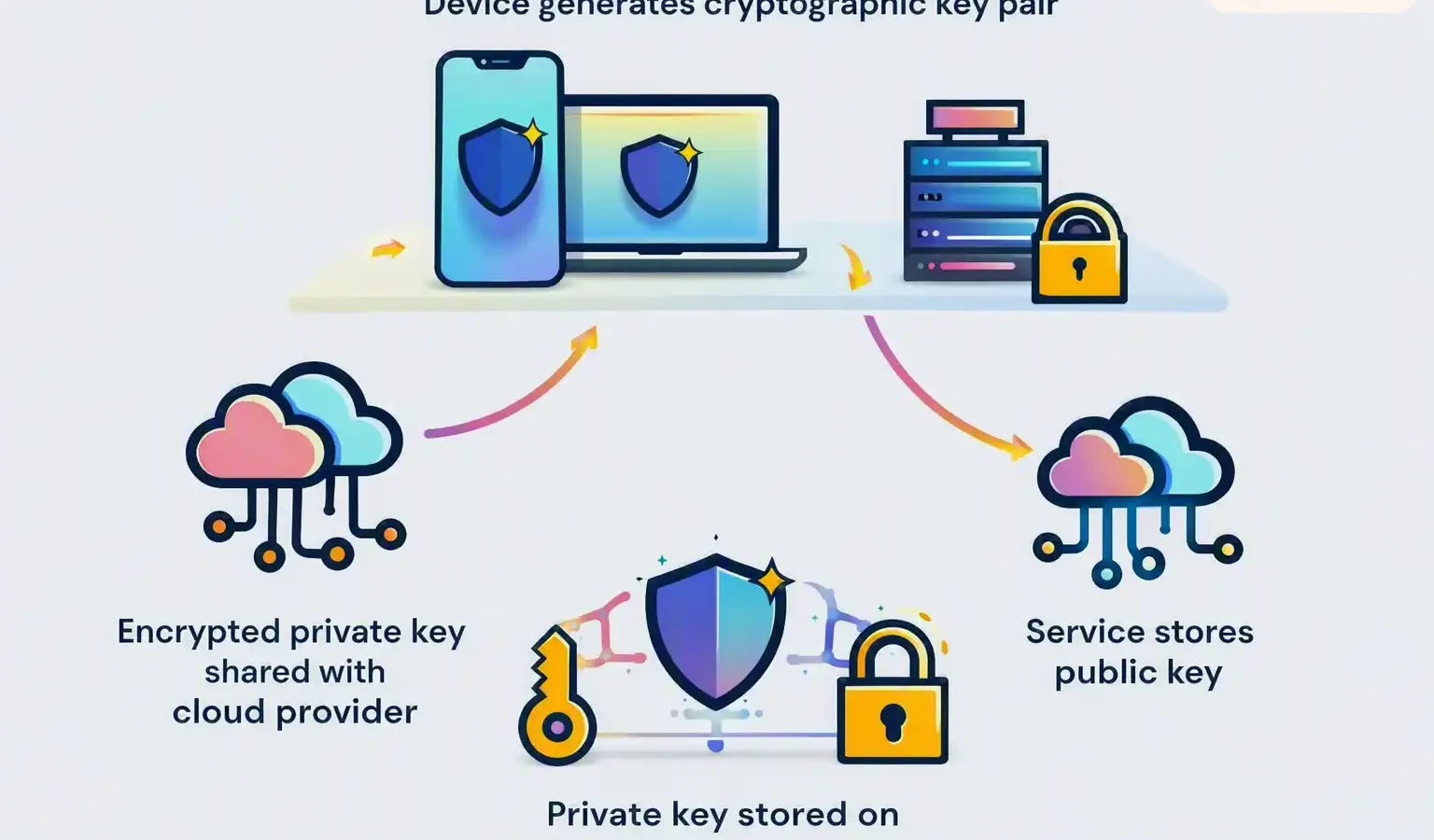
The pitch for passkeys has been consistent since they arrived, and largely correct: there is no shared secret, so there is nothing to phish, nothing to reuse, nothing to leak in a breach. Google’s own documentation states that passkeys cannot be shared, copied or accidentally given to someone else.
On 3 August 2026, Unit 42 published research showing three ways to take over a passkey-protected account regardless. None of them break the cryptography. All three attack the machinery around the keys instead — the onboarding, the recovery, the device-trust signals.
The one precondition that governs everything
Before anything else: every one of these attacks requires malware already running on the victim’s machine. Unit 42 states this plainly in its own disclaimer. The research covers Google Password Manager in Chrome on Windows, specifically on devices with a Trusted Platform Module.
That precondition matters enormously for how you read the rest of this, and it cuts both ways. A clean machine is not exposed to any of this. But “infostealer malware running as the logged-in user” describes an enormous number of real compromises every day, and none of these techniques need administrator rights, a kernel exploit, or any interaction from the victim after infection.
Why that framing still matters: the promise of passkeys was never only phishing resistance. It was that a compromised endpoint should not become a compromised account, because the private keys were supposed to be locked inside hardware and cloud enclaves. That is the assumption this research tests.
Stage zero: reading the map
Chrome stores synced passkey records locally, in its sync database under the user’s local app data. Unit 42 notes that reading these records does not require elevated privileges. They give an attacker a list of every service where the victim uses a passkey, along with usernames, credential identifiers and the encrypted private key.
The private key is encrypted, so this alone is not enough. But it tells an attacker exactly where to aim.
Attack one: borrowing the device’s identity
Pass-ta-key
Malware running as an ordinary user impersonates a trusted device to Google’s cloud authenticator and receives a valid authentication assertion — no biometrics, no device unlock, no user interaction.
The mechanism is a detail of how Chrome handles its device identity key on Windows. Rather than keeping the key inside the TPM, Chrome exports it as an encrypted blob, stored in a file called passkey_enclave_state, so it can be reused on the same physical TPM later.
Malware can read that blob from disk or memory and replay it through standard Windows cryptography APIs. The TPM performs the signature exactly as designed — the request reaching it looks entirely legitimate. Unit 42 demonstrated the full chain: collect the passkey records, initiate a login, handshake with Google’s cloud authenticator, sign with the borrowed identity key, forward the assertion, and log in as the victim.
The demonstrations are published: Unit 42’s paper includes three screen recordings — the basic attack running end to end, the eBay login succeeding without any verification, and the stolen master key being used to sign into a cryptocurrency exchange. They are embedded in the original research rather than hosted on a video platform, so they are worth opening the paper for if you want to see the attacks rather than read about them.
Where it fails, and why that is the interesting part
This attack should stop at services that require user verification. When Chrome signs with the identity key rather than the verification key, a single bit in the response — the User Verified flag defined in the WebAuthn spec — stays at zero. A service checking that bit rejects the login. Unit 42 confirmed GitHub does exactly this.
The problem is that Google’s cloud authenticator returns a valid assertion either way. Whether multi-factor authentication actually holds comes down entirely to whether the website bothers to check the flag.
The eBay case: Unit 42 found eBay set user verification to required but did not correctly validate the returned flag. The login succeeded with no user interaction and no second factor. Unit 42 reported it and eBay has since fixed the validation. The wider point stands: many services set verification to “preferred” rather than “required” for compatibility reasons, and Unit 42 found others failing to validate properly.
Attack two: registering your own fingerprint
Silver Pass-ta-key
Rather than defeat user verification, the attacker replaces it — registering their own verification key with Google’s cloud authenticator, so the system believes the victim unlocked the device.
The attacker forces the device back into onboarding, either by issuing a forget-device command using the identity key from attack one, or by simply deleting the passkey_enclave_state file. Unit 42 notes there are no built-in protections preventing that deletion.
On Windows, Chrome does not create the verification key during the first onboarding step, because doing so would stack a Windows Hello prompt on top of a recovery PIN prompt and confuse users. So the device sits temporarily in a pending state. In that window, the attacker registers a key pair they generated themselves.
Unit 42 found the cloud authenticator does not validate the attestation of newly registered verification keys — it does not check whether the key came from real secure hardware. The attacker’s key is stored alongside the legitimate device key.
From then on the attacker can produce assertions with the verified bit set, for any of the victim’s passkeys, from their own machine. The victim’s computer no longer needs to be online. Unit 42 describes this as reusable access, and notes it works even against services that enforce verification correctly.
Attack three: taking the master key
Golden Pass-ta-key
The attacker extracts the 32-byte security domain secret — the master key that decrypts every synced passkey on the account, present and future.
Google’s design intends this secret never to reach the client device. Responding to one of Unit 42’s reports, Google described the cloud enclave’s primary function as making passkey private data difficult to steal, precisely because it would be an obvious malware target if held locally.
Unit 42 found the secret in plaintext in Chrome’s own FIDO device log, visible by opening a chrome:// page. Google removed it from the logs after the report. But the underlying issue is architectural, not cosmetic: the secret is still sent to the client, and still passes through Chrome’s process memory during registration.
Unit 42 offers an explanation. Google Password Manager on iOS and Android does not use the cloud authenticator and must obtain the master key to decrypt synced passkeys, so Chrome appears to follow the same recovery model even though a more isolated approach was available on desktop.
An attacker forces re-onboarding, watches for the state file to be rewritten, dumps Chrome’s memory, extracts the secret, and decrypts every passkey record already harvested at stage zero.
This one does not wash off. The Silver attack can be mitigated by unregistering or re-enrolling the device. The Golden attack cannot. Unit 42 states that in Google’s current implementation there is no way to rotate or revoke the security domain secret — so every current and future synced passkey on that account stays protected by a master key the attacker holds. Detecting the compromise does not undo it.
Detection is weaker than it looks
WebAuthn includes a signature counter intended to let services spot cloned credentials. In synced passkey systems, Unit 42 notes, that counter is commonly a constant value. Services therefore have limited ability to notice that a credential is being used from an environment it has never been used from before.
Google responded on the Chromium tracker that globally consistent counters are difficult to implement across multiple devices and platforms, particularly when assertions come from independent clients. That is a reasonable engineering position. It also means one of the few built-in signals for detecting stolen credentials is largely inert for synced passkeys.
Where remediation actually stands
| Secret in Chrome logs | Fixed — Google removed it after Unit 42’s report |
| eBay flag validation | Fixed — eBay now validates the User Verified flag |
| Attestation on new keys | Not stated as resolved in the research |
| Signature counter | Acknowledged as difficult by Google; no fix described |
| Secret in process memory | Still present per the research |
| Ability to rotate the secret | None in the current implementation |
What Unit 42 recommends
The recommendations are aimed largely at the services and credential managers rather than at individuals, which is itself telling — most of what went wrong here is not something a user can configure their way out of.
- Services should set user verification to required and actually validate the returned flag, rather than trusting it
- Credential managers should verify the origin and attestation of newly registered device and verification keys
- Recovery and re-registration flows should be hardened, and repeated onboarding should be treated as a security signal
- Master key material should never be exposed to the client, including through memory or logs
- Access to local passkey storage should be restricted to the browser process
- Credential managers should work toward coordinated signature counters that survive multi-device sync
What you can actually do
Unit 42’s recommendations are addressed to services and credential managers, which leaves individuals with a shorter list. That is an accurate reflection of where the problem sits — most of what went wrong here is not user-configurable. But the research does point at four things within a person’s control.
1. Keep a hardware key on accounts that matter
Every attack here targets the synced passkey model — keys generated in a cloud enclave, shared across devices, unlocked through device-trust signals. A credential bound to a physical security key does not sync, does not pass through Chrome’s enclave state, and cannot be recovered from the security domain secret. For an email account, a password manager or anything financial, a second device-bound credential means one compromised laptop is not the whole account. Two honest qualifications: this follows from the architecture Unit 42 documents rather than being a recommendation the paper makes directly, and Unit 42 did not test hardware keys. Being outside the scope of this specific research is not the same as being proven immune to every endpoint attack.
2. Treat an unexpected recovery PIN prompt as a warning
Unit 42 notes that recovery PIN prompts belong to onboarding or account recovery, not to routine passkey logins. Both the Silver and Golden attacks work by forcing re-onboarding — which is what produces that prompt. If Chrome asks for your Google Password Manager recovery PIN during an ordinary sign-in you have done a hundred times before, that is the most visible symptom either attack generates. It is not proof of compromise, but it is worth stopping over rather than clicking through.
3. Recognise what the precondition means for you
Every technique here starts with malware already running as the logged-in user. That makes the usual endpoint advice load-bearing in a way passkey marketing implied it no longer was — infostealers delivered through cracked software, fake installers and malicious downloads are the realistic delivery route. Passkeys removed phishing from the threat model. They did not remove malware from it.
4. Know which of your accounts you could not recover
The Golden variant has no clean remediation, because the master secret cannot be rotated. Worth knowing, in advance, which accounts you would struggle to regain if every synced passkey on your Google account were decryptable — and whether those specific accounts have a second factor that does not depend on the same secret.
What this does not mean: reverting to passwords. Unit 42’s own conclusion is that passkeys remove entire classes of attack and represent a meaningful step forward. A reused password on a compromised machine is a worse position than a synced passkey on the same machine. The argument here is for a second, non-synced credential on high-value accounts — not for abandoning the technology.
My Take — Mr Wangdoo
The headline that writes itself here is “passkeys are broken,” and it would be wrong. Unit 42 says so directly in its own conclusion: passkeys eliminate whole categories of attack, they change the economics of credential theft, and none of this research touches the underlying cryptography. If you are choosing between a reused password and a passkey, the passkey still wins by a distance.
What this research actually punctures is a subtler claim — that syncing keys through a cloud enclave means a compromised laptop no longer means a compromised account. That was the pitch for synced passkeys specifically, and it is the part that did not survive contact with a determined researcher.
The single detail I keep returning to is that the master key cannot be rotated. Everything else here is a bug with a fix attached, and Google has already shipped some of them. But an unrotatable master key is a design decision, and it means that for anyone hit by the Golden variant, there is currently no clean recovery. You cannot change it the way you change a leaked password. That is a strange property for a credential system built to replace passwords, and I would want to know Google’s roadmap on it before I moved anything critical to a synced-only passkey.
The eBay finding deserves attention too, because it points somewhere uncomfortable. eBay asked for user verification and still accepted a login without it. If a company that size can misread a single flag, the safe assumption is that plenty of smaller services have the same gap and no one has looked. The strength of your passkey turns out to depend on implementation quality at every site you use it on — which is not what the marketing implies, and is not something you can check from the outside.
What I cannot tell you is how much of this is exploited in the wild. The research describes proof-of-concept work, responsibly disclosed. The Hacker News reported that a National Vulnerability Database search on 3 August found no CVE matching the three techniques. That is not the same as safe, but it is worth stating plainly rather than implying an active campaign that has not been documented.
Frequently asked questions
Should I stop using passkeys?
No, and Unit 42 does not suggest that. Its conclusion describes passkeys as a meaningful step forward that removes entire classes of attack. The research argues passkeys should be treated as one layer in a broader strategy rather than as a complete answer, and that endpoint compromise remains a critical part of the threat model.
Am I affected if I use an iPhone or a Mac?
This research covers Google Password Manager in Chrome on Windows devices with a Trusted Platform Module. Unit 42 notes that the cloud authenticator model is used by various passkey providers across multiple browsers and platforms, but its testing was limited to that specific configuration.
Do the attacks work on a clean computer?
No. Unit 42 states that all presented attacks rely on malware already existing on the victim’s device during the initial stage. None require administrator privileges or a device unlock once that malware is running, but the initial infection is a prerequisite for all three.
What is the User Verified flag?
It is a single bit in the WebAuthn authenticator data indicating whether the user was verified through biometrics or a PIN. It is set to 1 when the assertion is signed with the verification key and remains 0 when signed with the device identity key. Unit 42 found that Google’s cloud authenticator returns a valid assertion either way, so whether multi-factor authentication holds depends on the website checking that bit.
Has Google fixed the issues?
Partly. Google removed the master secret from Chrome’s FIDO device logs following Unit 42’s report, and eBay corrected its flag validation. The research does not state that the missing attestation validation or the signature counter issue have been resolved, and notes that the secret remains accessible in Chrome’s process memory. Google responded on the Chromium tracker that consistent signature counters are difficult in synced systems.
Can a stolen master key be revoked?
Not currently. Unit 42 states that in Google’s present implementation there is no way to rotate or revoke the security domain secret, which means all current and future synced passkeys on that account remain protected by the same master key even after a compromise is detected.
Sources
- Palo Alto Networks Unit 42 — Arie Olshtein, “Pass the Passkey: A Novel Attack Surface in Passwordless Authentication,” 3 August 2026. unit42.paloaltonetworks.com
- Palo Alto Networks Unit 42 — “Google Authenticator: The Hidden Mechanisms of Passwordless Authentication” (part 2 of the series). unit42.paloaltonetworks.com
- Google — Google Account Help, passkey documentation. support.google.com
- W3C — Web Authentication Level 2, authenticator data and signature counter. w3.org
- The Hacker News — “Google Password Manager Attacks Could Let Malware Hijack Passkey-Protected Accounts,” 4 August 2026. thehackernews.com