Apple Moved Its Spyware Warning to the Lock Screen

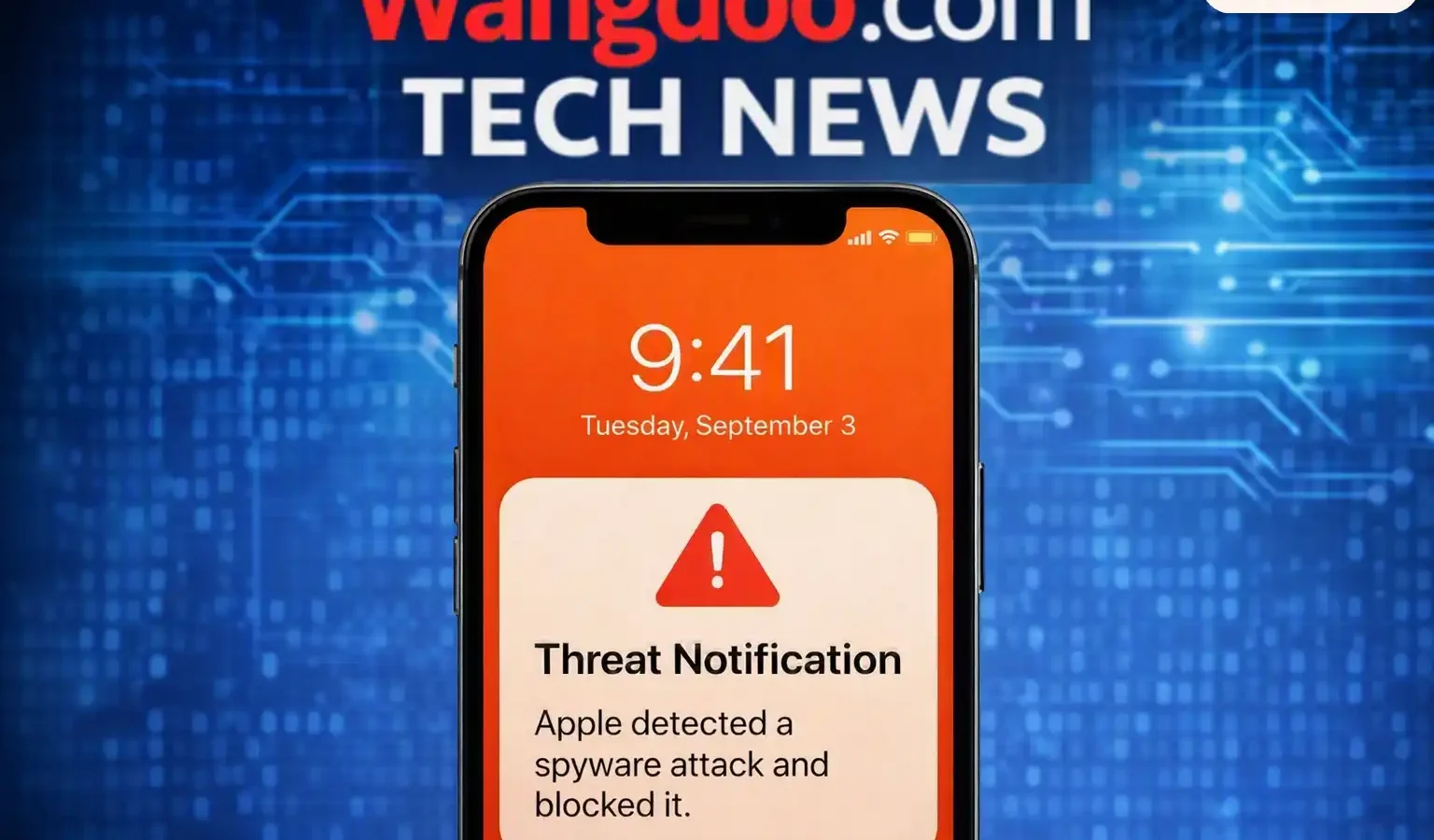
On 13 August 2026, Apple issued another round of threat notifications to people it believes have been individually targeted by mercenary spyware, and published a rewritten support document the same day.
Apple’s document does not say how many people were notified in this round. It states that notifications have gone to users in over 150 countries since the programme began in 2021. AppleInsider and 9to5Mac report the current round reached 110 countries, a figure Apple confirmed to reporters but has not published itself.
What changed
Apple states in the new document that “as of 2026” it notifies targeted users directly on iPhone. Regional versions of the same support page still list the older arrangement — a banner on the Apple Account website, plus an email and iMessage. The document published on 13 August lists three delivery routes.
| On the device | An Apple Threat Notification alert on the iPhone Lock Screen and in Settings |
| By email | Sent to addresses associated with the Apple Account, from [email protected] |
| On the web | A banner at the top of account.apple.com after signing in |
Apple adds that notification types may vary by device model and software version. The practical reading is that the Lock Screen alert is not guaranteed on every device — someone on an older iPhone or an out-of-date iOS release may still receive only the email and the account banner. Apple does not publish a minimum version.
A Lock Screen alert with a permanent entry in Settings is difficult to miss. An email can sit unread, be filtered as spam, or be dismissed as phishing — and the people Apple is trying to reach receive a great deal of targeted phishing.
How to tell a real one from a fake
A Lock Screen alert is a more attractive thing to counterfeit than an email banner, and Apple has published images of exactly what the real one looks like.
Apple lists what its notifications never do.
| Never | Ask you to click any link |
| Never | Ask you to open files |
| Never | Ask you to install apps or configuration profiles |
| Never | Ask for your Apple Account password or a verification code, by email or on the phone |
To verify: sign in to account.apple.com directly, typing the address rather than following any link. If Apple sent you a threat notification, it appears clearly at the top of the page after sign-in. If nothing is there, the message you received did not come from Apple.
Nobody legitimate charges to remove spyware after one of these alerts. Apple does not offer that service, does not endorse anyone who does, and directs recipients to a free nonprofit helpline instead. A real warning that creates urgency is exactly the cover a follow-up scam needs.
How to check, and what to do
Two places show whether Apple has sent you one: Settings on the iPhone, where the alert persists after the Lock Screen banner is dismissed, and account.apple.com. If neither shows anything, Apple has not sent you one.
If it is there, Apple’s guidance in sequence:
| 1. Update | Install the latest software, which Apple notes carries the latest security fixes |
| 2. Turn on Lockdown Mode | Settings → Privacy & Security → Lockdown Mode. Requires a restart. Apple’s wording is “your Apple devices” — it is set per device, so an iPad and a Mac need enabling separately |
| 3. Get expert help | The Digital Security Helpline at Access Now, free, 24 hours a day. Apple names no alternative |
| 4. Pay nobody | Apple performs no forensic examination itself and endorses no paid removal service |
Apple notes that outside organisations have no information about what caused it to send a notification, but can give tailored security advice.
Lockdown Mode is protection, not a cure. Apple presents it as a way to reduce a device’s exposure to attack. It is not described as removing anything already present, and Apple offers no spyware removal tool and performs no forensic examination. Anyone who needs to know whether a device was actually compromised needs the expert help Apple points to, not a settings toggle.
The same applies across devices. Apple’s wording is to enable Lockdown Mode on “your Apple devices” — plural. A threat notification relates to the Apple Account rather than to one handset, so an iPad or Mac signed in to the same account needs enabling separately.
What the notification means
Apple describes these as high-confidence alerts that a user has been individually targeted, and says they should be taken very seriously. It also concedes that its investigations can never achieve absolute certainty.
Apple relies solely on internal threat-intelligence to detect these attacks, will not explain what triggered any individual notification — publishing detection criteria would let operators adjust to evade it — and declines to attribute the attacks to any specific attacker, government or region.
On who is targeted: Apple states the notifications go to people targeted “likely because of who they are or what they do,” and names journalists, activists, politicians and diplomats. It says the attacks cost millions of dollars, have a short shelf life, and that the vast majority of users will never be targeted by them.
Apple cites Pegasus from the NSO Group as an example of the category, attributing that characterisation to public reporting and research by civil society organisations, technology firms and journalists rather than to its own detection work.
The guidance for everyone else
Apple lists seven measures for users generally, none of which are specific to spyware.
| 1 | Update devices to the latest software, which includes the latest security fixes |
| 2 | Protect devices with a passcode, Touch ID or Face ID |
| 3 | Use two-factor authentication and a strong password for the Apple Account |
| 4 | Turn on Stolen Device Protection |
| 5 | Install apps from the App Store |
| 6 | Use strong, unique passwords — and passkeys where available |
| 7 | Don’t open links or attachments from unknown senders |
Apple also states that anyone who has not received a notification but has reason to believe they may be individually targeted can enable Lockdown Mode without waiting for one.
My Take — Mr Wangdoo
Moving the alert to the Lock Screen is the right call and an overdue one. A warning that arrives by email, aimed at people whose inboxes are already a target-rich environment for impersonation, was competing against the exact thing it was warning about.
The trade-off is that Apple has now created a highly recognisable, highly alarming notification format, and published pictures of it. That is a template. The verification instruction — type account.apple.com yourself and look for the banner — is the most useful line in Apple’s document, and the one most likely to be skipped by someone reading an alarming alert at speed.
Apple’s role is narrower than the alert implies. It detects, it notifies, it recommends Lockdown Mode, and it hands the recipient to a nonprofit helpline. It does not investigate the device, does not say what it found, and does not name who was responsible. Each has a defensible reason. The net effect is that the person receiving Apple’s most serious notification is told almost nothing about what happened to them.
Common questions
How do I check whether an Apple threat notification is genuine?
Apple’s stated method is to sign in to account.apple.com directly, typing the address rather than following a link. A genuine threat notification appears clearly at the top of the page after sign-in. Apple states its notifications never ask you to click links, open files, install apps or profiles, or provide your password or a verification code.
Does the notification mean my device was hacked?
Apple describes the notifications as high-confidence alerts that a user has been individually targeted, while stating its investigations can never achieve absolute certainty. Apple does not say in its document whether a targeted device was successfully compromised, and does not perform forensic examination.
Why won’t Apple say what triggered it?
Apple states it cannot provide information about what causes it to issue threat notifications, because doing so could help mercenary spyware attackers adapt their behaviour to evade detection in future. For the same reason, it does not attribute attacks to any specific attacker or region.
Does Lockdown Mode remove spyware already on my device?
Apple does not describe it that way. Lockdown Mode is presented as reducing a device’s exposure to attack by restricting features commonly exploited. Apple offers no spyware removal tool and states it does not perform forensic examination, which is why it directs recipients to the Access Now helpline for expert assessment.
Can I turn Lockdown Mode off again?
Yes. It is set in the same place it is enabled — Settings, then Privacy & Security, then Lockdown Mode — and switching it off also requires a restart. It is enabled per device, so an iPad or Mac turned on separately has to be turned off separately.
What does Lockdown Mode actually change?
Per Apple’s documentation: most message attachment types are blocked, along with links and link previews; certain complex web technologies are blocked, so some sites load slowly or incorrectly and web fonts may not display; incoming FaceTime calls are blocked unless you have called that person within the past 30 days; and a locked iPhone will not connect to a computer by cable. It requires a restart to enable.
Sources
- Apple — “About Apple threat notifications and protecting against mercenary spyware,” support document, published 13 August 2026. support.apple.com
- Apple — Lockdown Mode support documentation. support.apple.com
- Access Now — Digital Security Helpline and Apple threat notifications. accessnow.org
- AppleInsider — “New wave of Apple threat notifications reach 110 countries,” 14 August 2026. appleinsider.com
- 9to5Mac — “Apple sends fresh wave of mercenary spyware warnings worldwide,” 13 August 2026, for the 110-country figure. 9to5mac.com