Immurok Bluetooth fingerprint key for desktop unlock, sudo and SSH signing

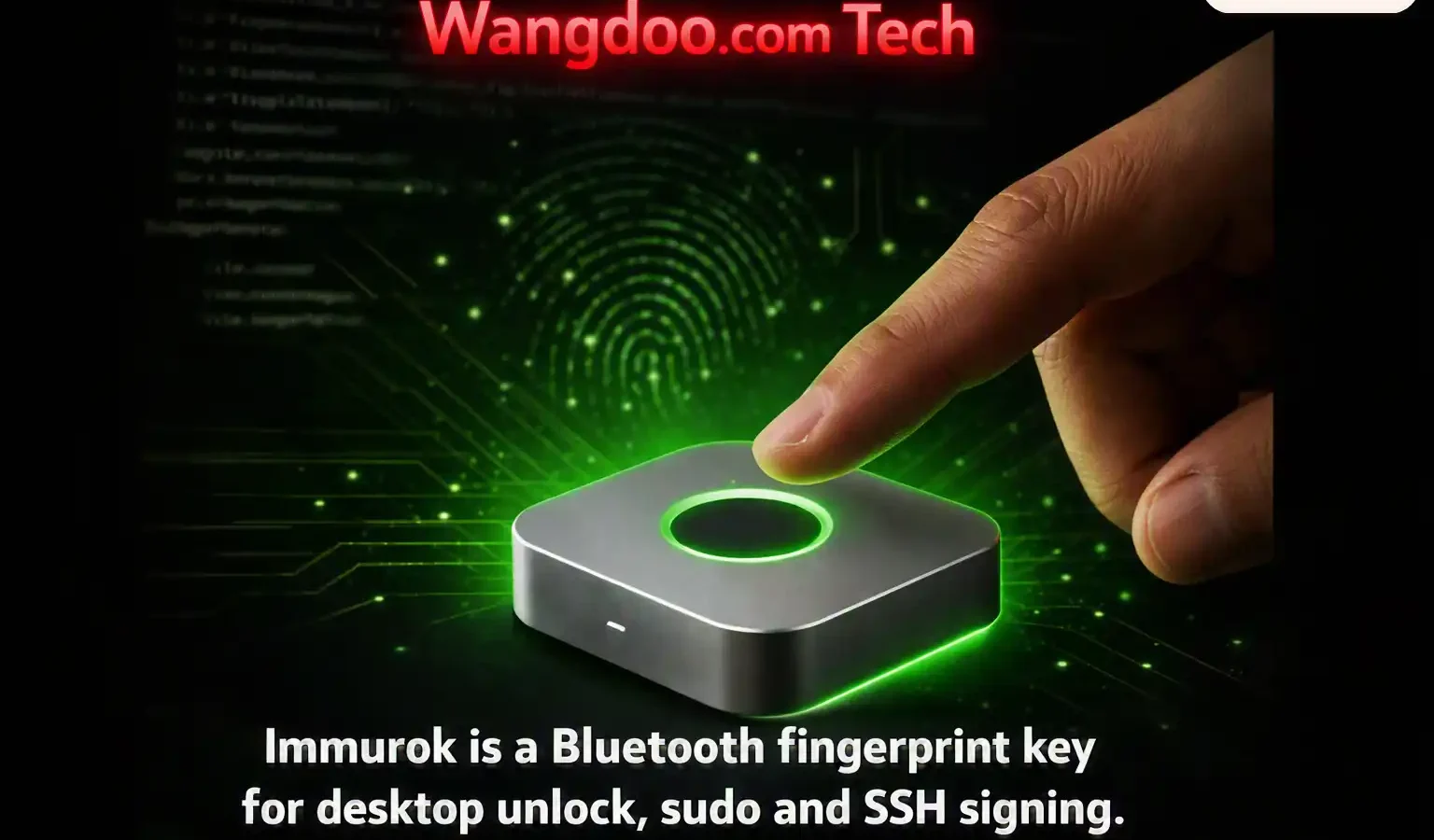
A keychain-sized fingerprint reader that talks to your desktop over Bluetooth, matches the print on the device itself, and stands in for your password at the lock screen, at a sudo prompt, and when signing a Git commit. Here is how it works.
Not tested. Wangdoo has not handled an immurok unit. This article is based on the maker’s published project documentation, the product site, the Kickstarter listing and third-party write-ups. Nothing here is a security assessment, and no independent audit of the device or its firmware has been published.
Commercial disclosure. Wangdoo has no relationship with the maker, carries no affiliate links, and receives no payment or hardware. The device is being funded through Kickstarter, which is not the same as buying a finished product.
Status: Accurate as of 4 September 2026.
Desktop biometrics are patchy. Apple put Touch ID in its laptops and in the Magic Keyboard with Touch ID, and nowhere else — a Mac mini or a Mac Studio has no fingerprint option at all unless that keyboard is bought separately. Windows Hello depends on whether your machine happens to have the hardware. On Linux, fingerprint support ranges from workable to absent depending on the laptop and the distribution.
Anyone using a desktop with an external keyboard, which is most people who work at a desk all day, types their password. Repeatedly. At the lock screen, at every sudo, at every admin prompt.
immurok is a small aluminium device built to sit in that gap. It reads your fingerprint, decides on the device whether it matches, and tells your computer over Bluetooth that the check passed. The maker, working under the name Super Dog, started it because they wanted fingerprint login on a Mac mini and found no clean way to get one.
It handles three things: unlocking the screen, approving privilege escalation through sudo and admin prompts, and signing SSH and Git operations. Alongside that it holds an encrypted vault of one-time-password seeds, API tokens and SSH keys that only release under a live fingerprint.
Everything runs offline. There is no cloud service, no account, and no telemetry.
Video: the device in use. Wangdoo is not affiliated with the publisher. Check the description of any product video for a sponsorship disclosure before treating it as independent coverage.
Where the fingerprint actually lives
This is the design decision everything else rests on.
Fingerprint templates are enrolled on the device and stored on the sensor module itself — an R559S capacitive sensor. Matching happens there too. The template never crosses Bluetooth and never reaches your computer.
What travels over the air is a signed message saying a match occurred. Your laptop never sees a fingerprint, which means a compromised host cannot harvest one from the transport.
The principle is the same one Apple uses with the Secure Enclave: biometric data stays in one place and the rest of the system receives only a yes or no. The implementations are unrelated.
The Bluetooth problem, and the workaround
There is an awkward obstacle in the way of any wireless unlock device, and the maker’s project log sets out how it is handled.
A locked operating system is not friendly to Bluetooth accessories. Connections get dropped, and arbitrary devices cannot simply announce that a user should be logged in. So immurok advertises itself as a standard Bluetooth LE HID keyboard. Operating systems keep keyboards connected at the lock screen, for the obvious reason that you need one to type your password — and a keyboard is allowed to send keystrokes.
The real communication does not run over that keyboard profile. It rides a separate custom encrypted GATT service alongside it. The keyboard identity is what keeps the connection alive and permits input at the lock screen; the encrypted channel carries the actual authentication traffic.
Why this is not a proximity unlock: a common class of Bluetooth unlock tool works on distance — if your phone or fob is near, the machine unlocks. Those are weak to relay attacks, where an attacker extends the apparent range of your device.
immurok pairs using an ECDH P-256 key exchange, and each fingerprint touch produces a fresh HMAC-SHA256-signed challenge-response. Because every touch is a new challenge, a captured exchange cannot be replayed later. Nothing unlocks because you walked past.
What it plugs into on each system
On Linux, the software is a Rust daemon with PAM and polkit integration, tested on Ubuntu, Fedora, Arch and Debian. PAM is the pluggable authentication module stack that already sits underneath sudo, polkit and system login. Hooking in there means the fingerprint substitutes for a password wherever PAM is consulted, rather than in a single application. There is a command-line and terminal-interface app alongside it.
On macOS the picture is split. Admin prompts also go through PAM, which macOS uses underneath its admin stack. Screen unlock does not, because Apple does not expose Touch ID or the login window to third-party hardware. That path uses a separately documented helper, and the HID keyboard identity described above is what makes it possible.
Windows takes a different route again, using Credential Provider integration — the Windows equivalent hook, since PAM does not exist on that platform. Native x64 and Arm64 installers are listed for Windows 10 and 11. The macOS app is a single universal build for Apple Silicon and Intel, requiring macOS 13.0 or later.
The vault
Beyond unlocking things, the device stores secrets and releases them only after a fingerprint touch. Capacities of up to 128 one-time-password seeds, 50 API keys and 32 SSH private keys have been reported by a campaign-summary site; the maker’s own specification page does not list them, so treat those numbers as unconfirmed.
Git and SSH signing uses ECDSA P-256 keys generated on the device, with the maker stating the private key never touches your disk. Items are addressed with a scheme the maker has defined — imk://ssh/, imk://otp/ and imk://api/ — so a script or shell can request a specific secret and the device gates the response behind a live touch.
The practical argument for this is about where two-factor seeds live. A great many people keep TOTP secrets in the same password manager that holds the passwords those codes are meant to protect, which collapses two factors into one. Holding the seeds on separate hardware that requires a fingerprint separates them again.
Gating AI agents
This is the most current-sounding feature and also the most straightforward one.
Coding assistants increasingly run commands rather than only suggesting them. The device can be placed in front of those commands as a physical gate: the agent proposes, and nothing executes until a human touches the sensor.
The maker documents the mechanism in some detail. A command is wrapped — the published example is imk run --agent -- git push origin main — and an overlay displays the command the agent wants to run. The overlay is stated to show the command verbatim rather than as a summary or paraphrase. One touch approves the privilege escalation, SSH signing and secret reads for that subprocess. Rejecting it sends SIGTERM to the process.
Two consequences follow from that design. Walk away from the desk and the agent cannot act. And secrets are stated to be injected into the child process only, so they never appear in the agent’s transcript — which is a different problem from execution, and a real one if that transcript is stored or sent anywhere.
The reasoning behind it is straightforward. An AI agent can be persuaded, prompted or confused into running something destructive. It cannot press a button on a desk.
Published specifications
| Item | Stated |
|---|---|
| Size and weight | 44 × 44 × 14.2 mm; 38 g on the project page, around 40 g on the product site; CNC aluminium, anodised |
| Sensor | R559S capacitive module, 508 DPI at 208 × 80 px; enrolment and matching on-device, sub-500 ms match |
| Processor | WCH CH592F — RISC-V, 60 MHz max, Bluetooth LE 5.4, 448 KB flash |
| Recognition time | Under 500 ms |
| Connectivity | Bluetooth LE; advertises as HID keyboard plus a custom encrypted GATT service |
| Pairing | ECDH P-256 key exchange, stated to complete in under two seconds |
| Per-touch auth | HMAC-SHA256 signed challenge-response, fresh each time; HKDF key derivation; AES-128 with HMAC-signed over-the-air updates, bootloader rejects unsigned firmware |
| Storage | Up to 5 enrolled fingerprints, stated by the maker. Vault capacities of 128 TOTP seeds, 50 API keys and 32 SSH keys are reported by a campaign-summary site only |
| Battery | 110 mAh LiPo, USB-C. Figures vary across the maker’s materials: roughly one month of active use, ~50 µA standby current, with standby quoted as up to 60 days on the campaign title and around three months on the project page |
| Controls | One physical button; holding roughly ten seconds performs a factory reset |
| OS support | macOS 13.0+ universal build; Windows 10 and 11, x64 and Arm64; Linux daemon tested on Ubuntu, Fedora, Arch and Debian |
| Certification | Bluetooth SIG qualified (receipt R078979, QDID 179771). FCC certification stated as in progress |
| Tamper response | Opening the case sets a tamper flag and erases pairing keys and templates |
| Development state | 6th hardware revision; signed over-the-air firmware updates; firmware 1.7.0 added dual-host pairing; pilot batch of 50 units built |
How it differs from a YubiKey
These are often shelved together and they solve different problems.
A YubiKey or a passkey works at the FIDO layer, proving your identity to a website or online service. immurok does not do that. It operates on the machine in front of you — the lock screen, the privilege prompt, the SSH agent — where the friction is local rather than remote. The maker states plainly that the two are complementary rather than alternatives, and expects people to use both.
The comparison with Touch ID is narrower. Touch ID runs inside Apple’s Secure Enclave and is available only on Apple laptops and the Magic Keyboard with Touch ID. immurok is external hardware that works across macOS, Windows and Linux, and it reaches macOS screen unlock through a helper rather than through Apple’s own biometric path. They are not interchangeable.
The licence, stated precisely
The campaign describes the project as source open, and the detail behind that phrase is worth stating exactly.
Two different positions apply to two different layers, and they are worth separating.
The macOS, Windows and Linux applications — including the PAM modules and the Windows Credential Provider — are stated to be open source on GitHub under Apache 2.0, an OSI-approved licence in force now. The firmware and hardware — including schematics and PCB Gerbers — are source-available under Business Source License 1.1, auto-converting to Apache 2.0 in March 2030. The maker states the only right reserved until conversion is selling competing hardware, and that the code can be read, patched, built and flashed in the meantime.
The maker’s Hackaday project page, written in June, describes the whole stack including the apps as BSL 1.1. The current product site describes the apps as Apache 2.0. Anyone depending on a specific licence for a specific component should check the repository, which is the authoritative record.
BSL 1.1 is source-available rather than OSI-approved open source. In practice that means the host software you install is open source in the strict sense, while the firmware is readable and modifiable but more restrictively licensed until 2030.
Availability
The campaign is running and funded, and ends on 22 September 2026. The stated price is US$59 on Kickstarter and US$69 at retail, with the maker noting that the earlier discounted tiers have sold out. Shipping is calculated separately and is not included in those figures.
Estimated delivery for backers is November 2026, with a one-year warranty. The maker says the hardware is on its sixth revision and a pilot batch of 50 units has been built and tested, so the campaign funds mass production rather than a prototype. After the campaign the device is to be sold directly from the maker’s site.
As with any crowdfunded hardware, backing funds a product rather than purchasing one, and delivery dates commonly move.
Frequently asked questions
Does my fingerprint get sent to my computer?
No. Templates are enrolled and stored on the R559S sensor module and matching happens on the device. What crosses Bluetooth is a signed message confirming a match, not biometric data.
Is this the same as a YubiKey?
No. A YubiKey works at the FIDO layer, proving identity to websites and online services. immurok works on the local machine — screen unlock, sudo and admin prompts, and SSH signing. The maker describes them as complementary.
Can someone unlock my machine just by being near it?
Not by proximity alone. Unlike distance-based Bluetooth unlock tools, each authentication requires a fingerprint touch that produces a fresh HMAC-SHA256 signed challenge-response, so a captured exchange cannot be replayed.
Does it work on Linux?
Yes. Linux authentication runs through PAM, covering sudo, polkit and system login, with a command-line and terminal-interface app alongside it. Linux was one of the two platforms the project was built around.
Why does it pretend to be a keyboard?
Operating systems keep HID keyboards connected at the lock screen and allow them to send input, which arbitrary Bluetooth accessories cannot do. The device advertises as a BLE HID keyboard for that reason, while the actual authentication traffic runs over a separate encrypted GATT service.
What happens if someone opens the case?
The maker states that forcing the case open trips a tamper switch which erases pairing keys and stored templates and leaves the indicator light steady red, revoking every paired machine. Separately, holding the button for about ten seconds performs a factory reset that erases everything and cannot be undone.
Is it open source?
In two parts. The macOS, Windows and Linux apps, including the PAM modules and the Windows Credential Provider, are stated to be open source under Apache 2.0. The firmware and hardware are source-available under Business Source License 1.1, auto-converting to Apache 2.0 in March 2030, with the maker stating that the only right reserved until then is selling competing hardware.
How much does it cost and when does it ship?
The stated price is US$59 on Kickstarter and US$69 at retail, with shipping calculated separately. The maker says earlier discounted tiers have sold out. Estimated delivery for backers is November 2026 and the campaign ends on 22 September 2026.
What happens if I lose it?
The maker states that fingerprint templates cannot be extracted because they never leave the hardware, and that forcing the case open trips a tamper switch which wipes pairing keys and templates. A factory reset can also be triggered by holding the button for around ten seconds.
Is it certified for wireless use?
The maker lists Bluetooth SIG qualification with a receipt and QDID number, and states that FCC certification is in progress. No CE or UKCA status is listed in the material reviewed, which matters for buyers in Europe and the UK given a stated November 2026 delivery.
Has it been independently audited?
No published third-party security audit of the device or its firmware was found at the time of writing. The security model described here is the maker’s own documentation.
Sources
- Hackaday.io — “immurok — a wireless fingerprint auth key” project page and details, maintained by the maker. Read in full 4 September 2026. Primary source for the security model: on-sensor template storage, the BLE HID keyboard approach, the encrypted GATT service, ECDH P-256 pairing, HMAC-SHA256 challenge-response, HKDF and signed OTA, the CH592F and R559S part specifications, enclosure weight, Bluetooth SIG qualification and FCC status, the vault addressing scheme and the tamper self-wipe. hackaday.io
- immurok — official product site, specifications page and FAQ, read 4 September 2026. Source for pricing, campaign end date, November 2026 delivery estimate, the battery and recognition-time specifications, OS version support, the licence split between apps and firmware, the AI-agent gating design and the tamper and factory-reset behaviour. immurok.com
- Kickstarter — campaign listing by Super Dog. kickstarter.com
- Hackaday — “Building A Wireless Fingerprint Authorization Device”, 3 July 2026. Independent editorial coverage; source for the WCH CH592F microcontroller and confirmation that the R559S sensor verifies matches locally without transmitting biometric data. hackaday.com
- Oton Technology — write-up published 4 July 2026. Source for enclosure dimensions and weight, the R559S sensor, the USB-C port and single button, and the Touch ID availability comparison.
- BackerBuzz — campaign summary. Source for vault capacities, fingerprint slots, the RISC-V microcontroller, standby figure and campaign timing. Secondary source.

Clayton Samuel (Mr Wangdoo), QFA — Founder & editor, Wangdoo.com. Qualified Financial Adviser with a background in electronics, web development, and cloud infrastructure.