How to Check If Your Router Has Been Compromised by a Botnet

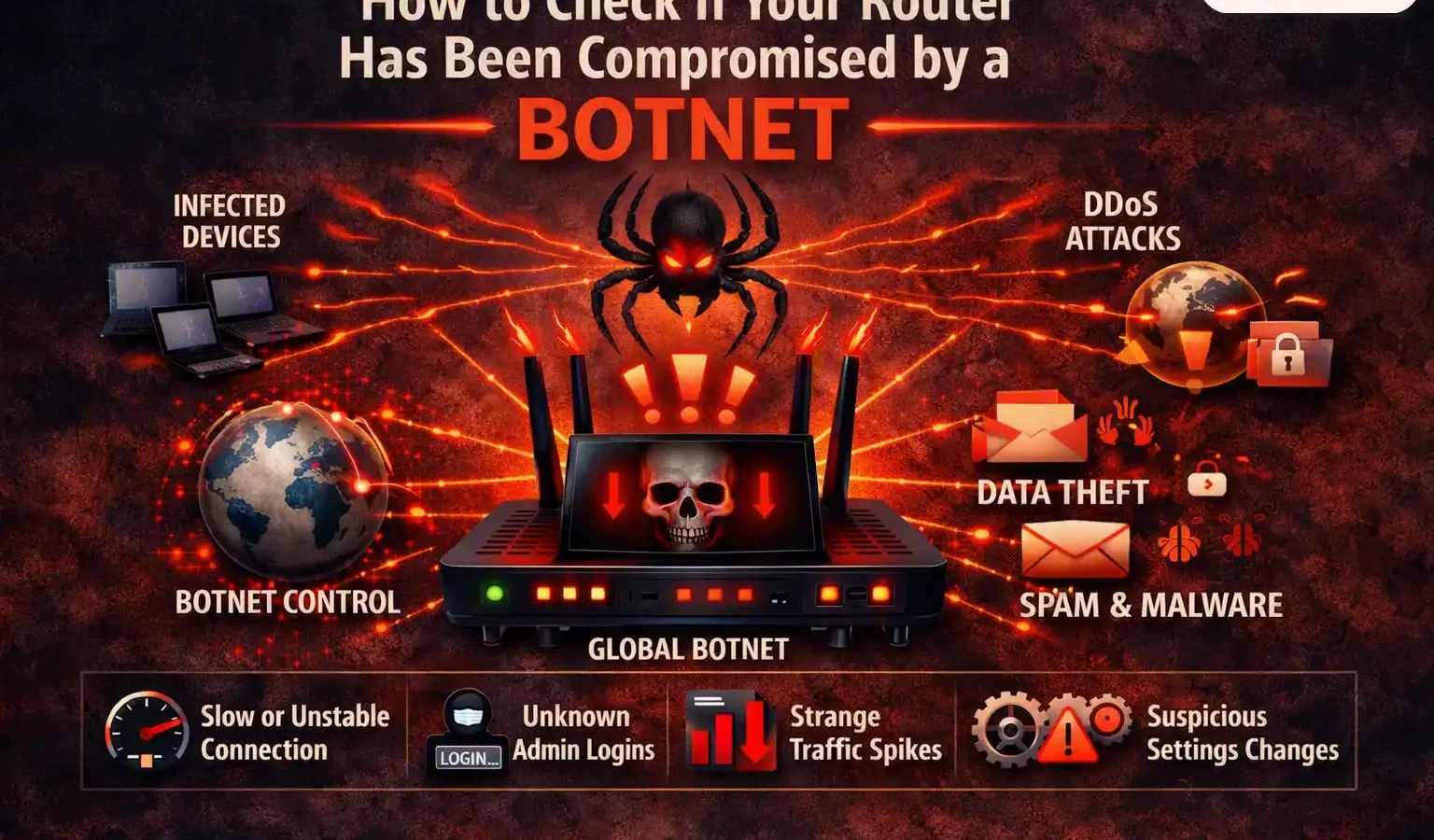
Your router doesn’t have to look broken to be compromised. Federal agencies have repeatedly used court orders to remotely clean up botnets built from ordinary home routers, and most owners never knew they were part of one. Here’s how to actually check.
How this was reported: This guide draws on ESET’s official device protection guidance (including a direct quote from ESET Senior Malware Researcher Miloš Čermák), Kaspersky’s threat research, official FBI cyber alerts, and public reporting on real botnet disruption operations conducted by US, Canadian, and German authorities.
Why This Is a Real, Not Theoretical, Problem
This isn’t hypothetical scaremongering. In January 2024, the US Department of Justice disrupted the KV-Botnet — a network built largely from end-of-life home and small-office routers, hijacked by the China-linked Volt Typhoon group. In September 2024, an international operation disrupted Raptor Train, a botnet of more than 200,000 routers, cameras, and other IoT devices linked to the Flax Typhoon group. And in April 2026, the FBI confirmed that Russian military intelligence (GRU Unit 26165, also tracked as APT28 or Fancy Bear) had compromised TP-Link routers in small offices and homes across at least 23 US states — some belonging to individuals working in military, government, or critical infrastructure sectors — quietly redirecting victims to fake login pages that captured passwords and authentication tokens while the browser showed only a certificate warning most people click past without a second thought.
In cases sophisticated enough, the FBI has gone as far as obtaining court authorisation to remotely access and clean compromised routers directly — this has now happened at least three separate times: against the Chinese-linked KV-Botnet in January 2024, against a Russian GRU-linked Ubiquiti router botnet the same February (an operation the DOJ dubbed “Dying Ember”), and again in the 2026 Operation Masquerade campaign. Most affected owners never found out their router had been part of an attack at all.
A walkthrough of the warning signs covered below. Independent production, not affiliated with Wangdoo.
The Warning Signs That Actually Matter
A compromised router doesn’t usually announce itself. Attackers who go to the trouble of hijacking a router almost always want to stay hidden, because a router being used for surveillance, credential theft, or botnet activity is only useful for as long as nobody notices. Still, according to ESET’s guidance, several signs are worth taking seriously — especially if more than one shows up at once.
The strongest signals
You’re locked out of the admin panel. If your usual router login stops working and you haven’t changed it, that’s one of the clearest signs someone else has taken control — attackers who compromise a router often change admin credentials specifically to lock the real owner out.
DNS settings have changed without you touching them. This is how attackers redirect your traffic to fake versions of real websites — capturing passwords and login sessions as they pass through, while the real site never notices anything unusual happened.
Unknown devices show up in your router’s connected device list. Every device on your network should be one you recognise. Anything unfamiliar deserves a closer look, ideally cross-checked by MAC address, not just by name.
Beyond those three, watch for a firewall that’s been silently disabled, port forwarding rules you didn’t create, unexpected browser redirects or ads appearing even on trusted sites, a network name that’s changed, or repeated security certificate warnings across multiple different devices — the last one is a particularly strong signal, since a warning on one single device is more likely just that device’s own problem, but the same warning appearing on your phone, your laptop, and a smart TV simultaneously points squarely at the router itself.
Slower-than-normal internet speeds, unexpected data cap warnings from your ISP, or high bandwidth usage while every device in the house is idle can also indicate a router is being used to relay someone else’s traffic — a hijacked router doing double duty as part of a botnet consumes bandwidth even when you’re not using the internet yourself.
How to Actually Check — Step by Step
Checking properly takes about ten to fifteen minutes and requires nothing beyond logging into your router’s own admin panel.
- Find your router’s admin address. It’s usually printed on a sticker on the router itself — commonly something like 192.168.0.1 or 192.168.1.1 — along with default login details if you’ve never changed them.
- Log in and check whether your usual credentials still work. If you’re locked out and haven’t changed the password yourself, treat that as a serious sign, not a minor annoyance.
- Review the connected devices list. Go through every entry and confirm you recognise each one. Anything you can’t immediately identify is worth investigating before dismissing.
- Check the DNS settings. Compare what’s listed against your internet provider’s actual DNS servers, which you can typically find with a quick search for “[your ISP name] DNS servers.” A mismatch you didn’t create yourself is a red flag.
- Look at the firmware version and compare it against the latest version listed on the manufacturer’s own support site. Routers running badly outdated firmware are far more exposed to known, already-documented vulnerabilities.
- Check the device logs if your router exposes them, looking specifically at the most recent login — the time and originating address should match your own activity, not someone else’s.
If You Find Something Wrong
What to actually do
Disconnect first. Cutting the router’s connection halts an active attacker’s access immediately, stopping further data leakage or device manipulation while you work through the rest.
Factory reset. Use the physical reset button (typically held for around 10 seconds) to wipe out malware or persistent malicious scripts that a simple reboot alone often won’t remove.
Update firmware immediately after resetting, before doing anything else — resetting without updating just leaves the same vulnerability open for the same attack to happen again.
Change every related password — router admin, Wi-Fi network, and if DNS hijacking is suspected, your banking, email, and cloud account passwords too, since traffic to those services may have passed through compromised infrastructure.
If you believe you were targeted as part of a larger campaign — not just an isolated incident — the FBI recommends reporting it through the Internet Crime Complaint Center at ic3.gov.
Preventing This From Happening Again
Most router compromises trace back to a small handful of avoidable causes: default or weak admin passwords never changed after setup, outdated firmware left unpatched for years, and remote management features left switched on when they’re rarely actually needed. Changing the default admin credentials, keeping firmware current, and disabling remote administration unless you actually need it closes off the majority of common entry points on its own.
For anyone running Matter-based smart home devices, this connects directly to network hygiene we’ve covered before — Matter 1.6’s Joint Fabric feature depends on your router correctly handling local device discovery traffic, which means a poorly secured or misconfigured router doesn’t just create a security risk — it can also be the quiet root cause behind smart home devices that mysteriously refuse to pair or randomly drop offline.
One specific FBI recommendation worth acting on
The FBI has specifically advised retiring routers manufactured in 2010 or earlier, since devices this old very likely no longer receive any firmware updates from their manufacturer at all — meaning any vulnerability discovered in them from this point forward simply never gets patched. If your router predates 2010 and you’re not certain when it last received an update, checking the manufacturer’s support page for your specific model is worth the five minutes it takes.
Frequently Asked Questions
Is router hacking actually common, or is this overblown?
It’s a documented, ongoing problem at a national security scale, not an exaggerated risk. Real examples include the KV-Botnet (disrupted by the DOJ in January 2024), the “Dying Ember” operation against a Russian GRU-linked Ubiquiti router botnet the following month, Raptor Train (over 200,000 devices, disrupted in September 2024), and a further Russian GRU-linked router compromise campaign the FBI confirmed across at least 23 US states in April 2026, codenamed Operation Masquerade. The FBI has used court orders to remotely clean compromised home routers at least three separate times because the scale of the problem reached that level.
What’s the single clearest sign my router has been compromised?
Being locked out of your router’s admin panel when you haven’t changed your password yourself. Attackers who successfully compromise a router frequently change the admin credentials specifically to prevent the real owner from regaining control, which makes this one of the most reliable individual indicators.
Can someone hack my router without ever accessing my home network directly?
Yes, if remote management is enabled or a firmware vulnerability exists that’s exploitable from the internet. This is precisely why disabling remote administration unless you specifically need it, and keeping firmware updated, are two of the most effective preventive steps available.
What should I do first if I think my router is compromised?
Disconnect the router from the internet to immediately cut off an attacker’s access, then perform a full factory reset using the physical reset button, followed immediately by a firmware update before reconnecting. After that, change every related password — router admin, Wi-Fi, and any account passwords if DNS hijacking is suspected.
How do I know if my router is too old to be secure?
The FBI has specifically flagged routers from 2010 or earlier as likely to no longer receive any manufacturer firmware updates. If you’re unsure how old your router is or when it last received an update, check the manufacturer’s official support page for your specific model — a router with no active firmware support should generally be replaced rather than trusted with ongoing security.
Sources
- How to check if your router has been hacked—and what to do about it — ESET, September 2025 (primary source: warning signs, checking process, Miloš Čermák quote)
- Cybercriminal Proxy Services Exploiting End-of-Life Routers — Federal Bureau of Investigation, official cyber alert (2010 cutoff recommendation, end-of-life router risk)
- Is Your Router Compromised? FBI Exposes Russian Hacking Campaign — Techlicious, April 2026 (April 2026 campaign details, DNS hijacking mechanics)
- Justice Department Conducts Court-Authorized Disruption of Botnet Controlled by the Russian Federation’s GRU — US Department of Justice, official press release, January 2024 (primary source: the earlier of the two FBI router-reset operations)
- DOJ, FBI disrupt Russian intelligence botnet — CyberScoop, February 2024 (“Dying Ember” operation against the GRU-linked Moobot/Ubiquiti router botnet)
- ‘We’re defending our homeland’: FBI remotely scrubs Russian malware from thousands of compromised devices — May 2026 (Operation Masquerade details, 23-state confirmation, FBI Boston attribution)
- 12 Signs Your Router Has Been Hacked — Kaspersky, June 2026 (threat data context, botnet activity patterns)