SHARGE Disk Pro 2: The Ultimate Active-Cooling SSD Hub

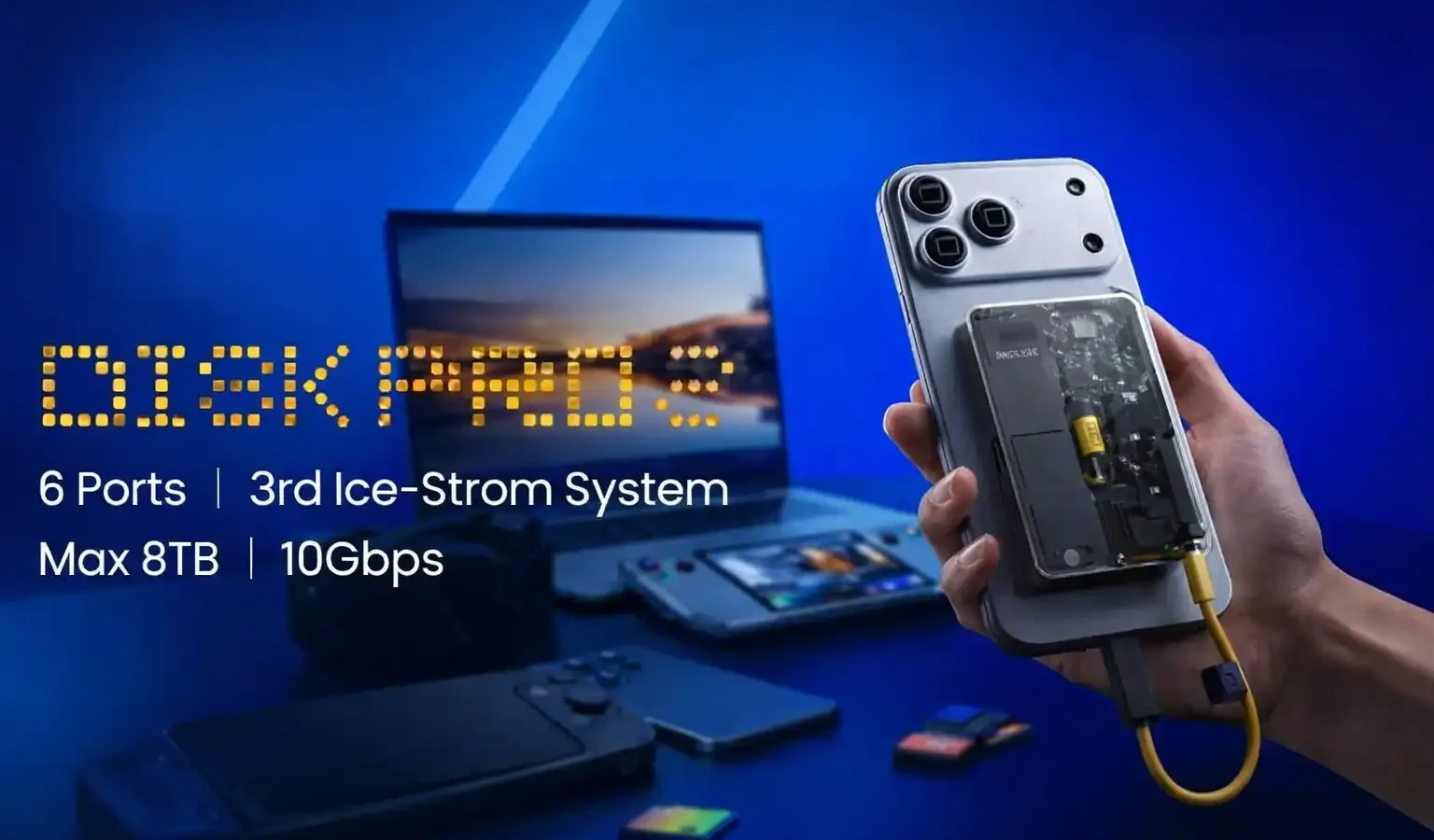
Sharge Disk Pro 2: What It Is, Why Thermal Throttling Matters, and Whether the Active Cooling Premium Is Worth It
Sharge has launched the Disk Pro 2 — a credit card-sized device that combines a USB hub, swappable M.2 SSD storage, and a built-in cooling fan. The original Disk Pro shipped and was independently reviewed. Here is what the real-world data from that product tells you about this one — and where the genuine differences lie.
How this was reported: Disk Pro 2 specifications come from NAS Compares’ May 2026 technical breakdown and Sharge’s official Disk Pro 2 page. Real-world performance data — fan noise, sustained transfer rates, thermal behaviour — comes from independently reviewed Disk Pro 1 units at Tom’s Hardware (April 2026), PetaPixel (April 2026), and HowToGeek (April 2026). The Disk Pro 2 has not yet shipped; performance of v2 has not been independently benchmarked. The article is clear throughout about which data applies to which version. Wangdoo has not handled either product.
What the Disk Pro 2 Actually Is
The Disk Pro 2 is made by Sharge — a Chinese accessories company known for transparent-design chargers and power banks, with products sold on Amazon and their own store. It is the second version of the Disk Pro, which began shipping to early buyers in late 2025 and was independently reviewed in early 2026.
The device combines three things into a unit roughly the size of a credit card (90 × 61 × 11 mm): a USB hub with six ports, a slot for a user-installed M.2 NVMe SSD, and a built-in active cooling fan — the Ice-storm Cooler. The Disk Pro 2 was announced for sale in June 2026.
NAS Compares’ review of the Disk Pro 2, published July 2026. Independent — not a Wangdoo production and not affiliated with Sharge.
Why Active Cooling in a Portable SSD Is Not a Gimmick
Most people who have not benchmarked a portable SSD under sustained load are surprised by how much thermal throttling affects real-world performance. The issue is straightforward: flash memory generates heat during continuous write operations. When the drive reaches a critical temperature — typically around 70–75°C — it reduces its own write speed to protect itself. This is thermal throttling, and it is built into the firmware of virtually every PSSD.
The practical consequence: a portable SSD rated at 1,000 MB/s might deliver that speed for the first 10–15 seconds of a large file transfer, then drop to 200–300 MB/s for the remainder. If you are copying 10GB of files, you see the initial fast speed and the transfer completes before throttling kicks in. If you are recording 4K ProRes video, transcoding files, or transferring hundreds of gigabytes continuously, you experience the slower sustained speed — not the rated peak.
The Disk Pro’s design approach is to add a small active cooling fan to prevent the temperature from reaching the throttling threshold in the first place. Sharge claims on their product page that the Disk Pro 1 maintained performance through 480GB+ continuous transfers in Auto Mode and 950GB transfers in Turbo Mode. Tom’s Hardware’s April 2026 independent benchmark confirmed that the drive’s sustained performance held up well compared to passive-cooled competitors — though the specific volume figures above are Sharge’s own marketing claims, not Tom’s Hardware’s measured output. Standard passive-cooled PSSDs typically begin throttling well before reaching that volume.
When active cooling is and is not relevant
Active cooling matters for sustained workloads: recording 4K or 8K video directly to the drive, large batch file transfers, continuous backup operations, or running applications directly from the external SSD. For typical use — moving a few files, opening documents, occasional media playback — passive-cooled portable SSDs rarely hit sustained thermal limits and the cooling fan adds no practical benefit. The Disk Pro series is designed for the former use case, not the latter.
The Key Change in Version 2: Swappable Storage
The most significant difference between Disk Pro 1 and Disk Pro 2 is not in connectivity or cooling — it is in how storage works. The original Disk Pro used fixed built-in TLC NAND flash in capacities of 1TB, 2TB, or 4TB. You bought the capacity you needed at purchase, and that was it. Reviewers flagged this as the product’s primary limitation: if your storage needs grew, you would need to buy a new unit entirely.
Disk Pro 2 removes this constraint. Instead of built-in storage, it accepts user-installed M.2 NVMe SSDs in three standard form factors: 2230, 2242, and 2280. The maximum supported capacity is up to 8TB, depending on which drive you install. Sharge states that the SSD slots in with one Torx screw and that installation takes under 30 seconds — their own claim, not independently verified. The NAS Compares breakdown confirms that both the Lite and Ultra variants support the same SSD options.
This matters for a specific type of buyer: someone who expects their storage needs to change over time, or who wants to choose their own SSD based on performance and budget rather than being locked into Sharge’s built-in options.
Confirmed Disk Pro 2 Specifications
These figures are confirmed from NAS Compares’ pre-launch breakdown and Sharge’s official product page. Disk Pro 2 pricing was not confirmed in the sources available at publication — check sharge.com directly.
| Specification | Disk Pro 2 — confirmed |
|---|---|
| Dimensions | Approximately 90 × 61 × 11 mm (credit card footprint) |
| Ports | 6 total — data, display, power delivery, SD, microSD |
| Data transfer | 10Gbps (USB 3.2 Gen 2) |
| Video output (Ultra) | HDMI 2.1 |
| Video output (Lite) | HDMI 2.0 |
| Power draw | Ultra: ~1W / Lite: ~4W |
| SSD compatibility | M.2 NVMe — 2230, 2242, 2280 form factors |
| Maximum storage | Up to 8TB (depends on installed SSD) |
| Cooling | Active — Ice-storm Cooler (fan-based) |
| Controller architecture | 4-chip independent system — dedicated chips for storage, USB expansion, video, power delivery |
| Attachment | Magnetic — MagSafe compatible and broader magnetic attachment |
| Cable | Detachable lanyard cable (built-in cable on v1) |
| SSD installation | 1 Torx screw — Sharge states under 30 seconds |
| New vs v1 | Adds SD and microSD slots; swappable SSD; detachable cable; 6 ports vs 5 |
What Real-World Use of Disk Pro 1 Shows
Because the Disk Pro 2 has not shipped, the most useful performance data comes from the original Disk Pro — which has been reviewed by Tom’s Hardware, PetaPixel, and HowToGeek using production units. The core architecture (active fan cooling, 10Gbps interface, same form factor) is shared between versions. Two findings from those reviews are directly relevant to evaluating Disk Pro 2.
The fan is audible. PetaPixel titled their Disk Pro 1 review “An SSD Hub with a Fan, and You Certainly Hear It” — their assessment is that the fan is consistently audible rather than unobtrusive. Not distracting in all situations, but not silent. The fan operates in Auto Mode (7,000–10,000 RPM, activating when temperatures rise) and Turbo Mode (10,000 RPM continuously). If you plan to use this in a quiet office, a library, or attached to a phone during a meeting, the active cooling is something to factor in. Sharge includes the ability to turn off the SSD entirely — useful if you want hub functionality only without the fan running.
Not waterproof. PetaPixel flags this explicitly: do not get this anywhere near liquid. The chassis has holes for the cooling fan’s airflow path. Water ingress through those holes will damage the device. This is an inherent trade-off of active cooling in a compact form factor. For outdoor use in rain, this is a hard limitation.
Who This Is For
- Content creators doing sustained 4K or 8K transfers — recording ProRes video directly to an external drive, transferring footage from a camera after a shoot, or running editing software with the project stored on the external drive. These are the workloads where thermal throttling noticeably affects performance and where active cooling provides measurable benefit.
- People who want a single cable to replace SSD, hub, and charger — the Disk Pro series consolidates three items: external SSD storage, USB hub expansion, and passthrough charging. For someone travelling with a laptop that has limited ports, this reduces the number of devices to pack. The magnetic attachment to a phone adds a fourth use case for iPhone and MagSafe-compatible Android users.
- Buyers who expect their storage needs to grow — the swappable M.2 SSD in v2 is the specific reason to choose it over v1. If you start with a 1TB drive and later need 2TB or 4TB, you replace only the SSD rather than the entire unit.
Who This Is Not For
- Anyone working near water or in rain. The cooling fan requires open venting. The device is not water-resistant. This is not a suitable outdoor storage solution for wet environments.
- Anyone who needs silent operation. The fan is audible. In quiet environments, it will be noticeable.
- Occasional users who copy small files. Standard portable SSDs — a Samsung T7, a Crucial X9 Pro — do not throttle significantly during short transfers. For typical file management, the active cooling provides no practical benefit and the price premium is not justified.
- Anyone needing RAW files direct to the SSD from a camera that requires a specific protocol. Check compatibility with your specific camera before assuming the Disk Pro 2 will work as a direct recording target.
The Price Reality
The original Disk Pro 1 retails from $289.99 for the 2TB version — confirmed from HowToGeek and Sharge’s own store. The Samsung T7 2TB — the correct 10Gbps comparison, matching the Disk Pro’s interface tier — retails for approximately $80–100. A quality USB hub costs $30–50. The combined alternative is roughly $110–150 versus $289.99 for the Disk Pro 1.
The active cooling, magnetic attachment, and single-cable convenience account for the premium. Whether that premium is justified depends on your workload. For someone doing sustained 4K video transfers who has experienced throttling on a standard SSD, the Disk Pro’s sustained performance advantage — demonstrated in Tom’s Hardware benchmarks — has measurable real-world value. For someone moving files occasionally, the standard SSD plus hub is cheaper and performs identically for that use case.
Disk Pro 2 pricing was not confirmed in sources available at publication. Given that v2 introduces swappable SSD support (and therefore the chassis is priced separately from storage), the pricing structure will be different from v1’s fixed-capacity model.
My Take — Mr Wangdoo
The active cooling design makes sense for a specific and real problem — PSSD thermal throttling during sustained transfers — and the Tom’s Hardware benchmarks of the original Disk Pro show it working as described through continuous large-volume transfers. That is the core of what the product is selling.
The swappable SSD in version 2 directly addresses the main criticism of version 1. Whether it fully resolves it depends on how easily the SSD installs in practice (Sharge’s “30 seconds” claim has not been independently verified) and whether the available M.2 form factors give users the flexibility they would need over the product’s lifespan.
The fan noise is the trade-off that matters most for day-to-day use and is the one least visible in marketing materials. If you plan to use this attached to your phone in a quiet environment, the fan operating at 10,000 RPM is worth understanding before committing.
Frequently Asked Questions
What is the difference between Disk Pro 1 and Disk Pro 2?
The two most significant changes are storage and cable design. Disk Pro 1 had fixed built-in TLC NAND flash in capacities up to 4TB — not user-replaceable. Disk Pro 2 accepts user-installed M.2 NVMe SSDs (2230, 2242, 2280 form factors) up to 8TB capacity, secured by one Torx screw. Disk Pro 2 also adds SD and microSD card slots (not present on v1), increases from 5 to 6 ports total, and switches from a built-in cable to a detachable lanyard cable. The cooling system, magnetic attachment, and 10Gbps interface remain consistent between versions.
What is thermal throttling and does it affect me?
Thermal throttling is when a portable SSD slows its write speed to prevent overheating. Most drives are rated at peak speeds (800–1,000 MB/s for 10Gbps drives) but sustain those speeds for only the first 10–30 seconds of continuous large transfers. After that, temperatures rise and the drive limits itself — sometimes to 200–300 MB/s — until it cools down. If you copy files occasionally or work with files under 10–20GB, you will rarely notice throttling. If you record 4K video directly to external storage, batch transfer large media files, or run sustained backup operations, throttling affects real-world transfer times. Active cooling prevents the temperature from rising to the throttling threshold.
Which SSD should I install in the Disk Pro 2?
The Disk Pro 2 accepts M.2 NVMe SSDs in 2230, 2242, and 2280 form factors. Sharge has not published a specific compatibility list for v2 at the time of writing. SSDs that are commonly used in enclosures — Western Digital SN740, Samsung PM991A, Sabrent Rocket Nano — are likely candidates, but verify compatibility with Sharge before purchasing. The 2280 form factor gives the broadest choice of drives and capacities. Check sharge.com for current compatibility guidance.
How loud is the fan?
Based on PetaPixel’s review of the original Disk Pro 1, the fan is audible. The fan operates between 7,000 and 10,000 RPM depending on temperature in Auto Mode. Turbo Mode runs at 10,000 RPM continuously. PetaPixel’s reviewer found it consistently noticeable in quiet environments — their review title was “You Certainly Hear It.” The fan can be toggled between Auto and Turbo modes, and the SSD can be powered off entirely to use the device as a hub only, which may reduce fan activity. Whether Disk Pro 2’s fan is louder, quieter, or equivalent to v1 has not been independently tested.
Is the Disk Pro 2 waterproof?
No. The active cooling fan requires ventilation holes in the chassis. Water entering through those holes will damage the device. PetaPixel’s review of the original Disk Pro specifically warns against any contact with liquid. Do not use this device in rain or near water.
What is the difference between the Lite and Ultra versions?
Both versions support the same SSD form factors, the same 6 ports, the same 10Gbps data transfer, and the same active cooling. The Lite version uses HDMI 2.0 and draws approximately 4W. The Ultra version uses HDMI 2.1 and draws approximately 1W — more power-efficient with expanded display support. The Ultra is the better choice for anyone connecting to a 4K@120Hz or 8K display. For standard 4K@60Hz use, the Lite version is sufficient.
Sources
- Sharge Disk Pro 2 Revealed — NAS Compares, May 4 2026 (Disk Pro 2 technical breakdown — primary source for v2 specs)
- Disk Pro 2 official product page — Sharge (primary source — SSD installation, Torx screw, official claims)
- Sharge Disk Pro 2TB review — Tom’s Hardware, April 4 2026 (sustained transfer benchmarks, thermal performance of Disk Pro 1)
- Sharge Disk Pro Review: An SSD Hub with a Fan, and You Certainly Hear It — PetaPixel, April 9 2026 (fan noise, waterproofing limits, real-world use with iPhone)
- The Sharge Disk Pro is the most unique portable SSD I’ve ever tested — HowToGeek, April 18 2026 (fixed storage criticism, retail pricing, overall assessment)