BunkerWeb: The Open-Source Firewall Explained

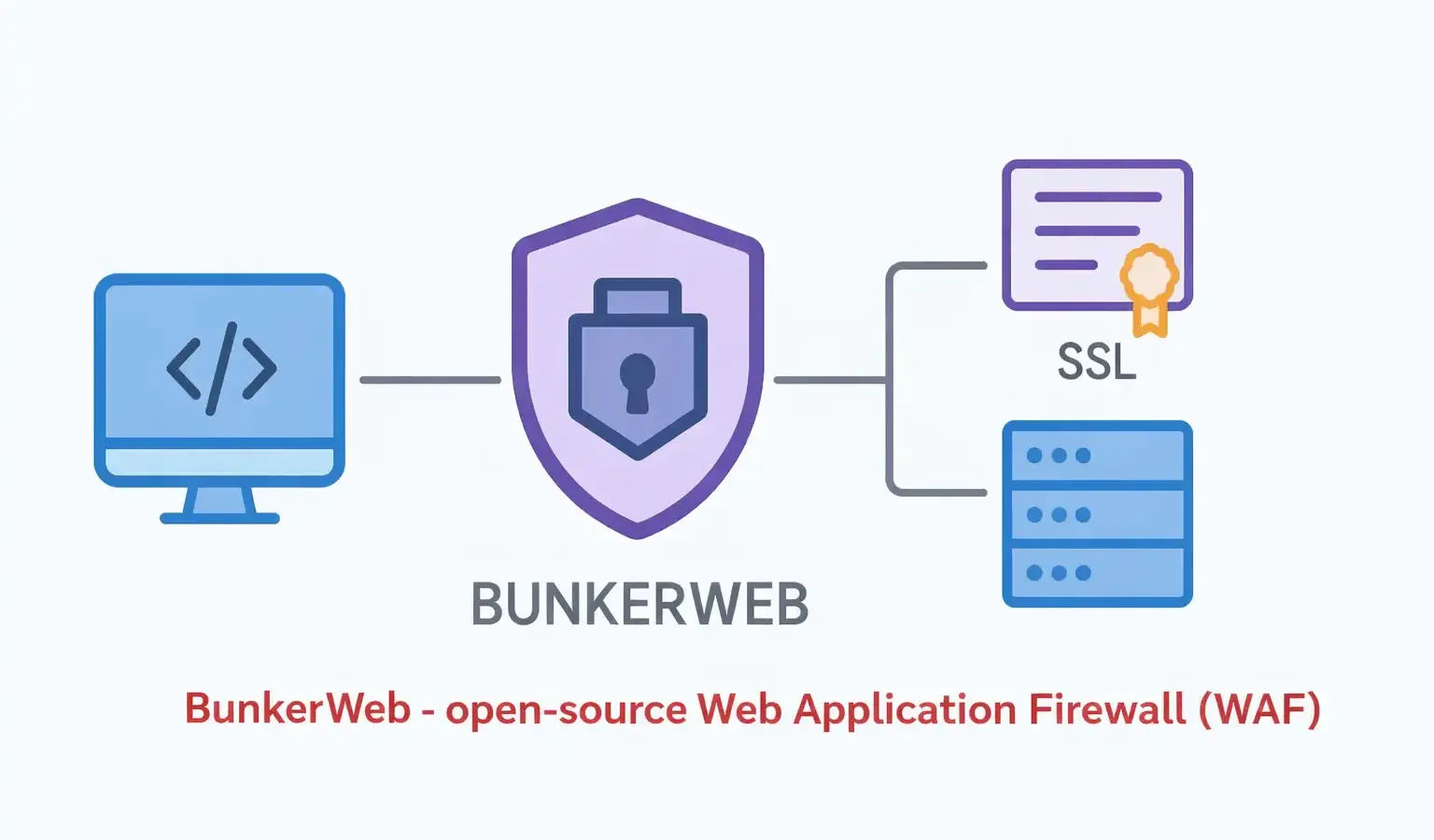
BunkerWeb Explained: The Open-Source Firewall That Sits in Front of Your Whole Website, Not Inside It
Most WordPress security advice means installing another plugin. BunkerWeb takes a completely different approach — it replaces the web server itself, inspecting and filtering every request before it ever reaches WordPress, your database, or anything else running on your box. Here’s what that actually means, who it’s for, and who should stick with a plugin instead.
If you’ve spent any time looking at WordPress security, you’ve almost certainly come across the same shortlist — Wordfence, Sucuri, MalCare, Solid Security. All of these share one thing in common: they’re plugins. They run inside WordPress, using PHP, sharing the same resources as your site, and only protecting requests that actually reach WordPress’s code.
Watch — Setting Up BunkerWeb on a Server
A complete walkthrough of installing BunkerWeb on an Ubuntu server. All rights respective owner. Source: YouTube.
BunkerWeb is something different: an open-source web application firewall (WAF) that replaces your web server entirely, built on top of NGINX. Every request to your site passes through BunkerWeb first — before WordPress, before PHP, before your database even knows a request was made. This article explains what that architectural difference actually means in practice, who genuinely benefits from it, and who’s better off sticking with a plugin.
The Core Idea: Reverse Proxy, Not Plugin
To understand BunkerWeb, it helps to understand the term reverse proxy. Normally, when someone visits your site, their browser talks directly to your web server (Apache or NGINX), which talks to WordPress, which talks to your database. A reverse proxy sits in front of all of that — every request hits the proxy first, and the proxy decides what happens next: pass it through, block it, challenge it with a CAPTCHA, or redirect it.
BunkerWeb is that reverse proxy — and a security-hardened one. According to BunkerWeb’s own documentation, it’s “a full-featured web server (based on NGINX under the hood)” that integrates into your environment “as a reverse proxy”, designed to make web services “secure by default.” Your actual WordPress installation — PHP, MySQL, the wp-admin dashboard — sits behind it, on a separate internal address that BunkerWeb forwards legitimate traffic to.
A WordPress security plugin can only act once a request has already reached PHP and WordPress has started processing it. BunkerWeb makes its decision before that point — a malicious request can be blocked, challenged, or rate-limited without WordPress, PHP, or your database ever being touched. For attacks like credential-stuffing floods or vulnerability scanners hammering thousands of URLs per minute, this is the difference between your server fending off an attack at the front door versus every single request consuming PHP execution time and database connections before being rejected.
What’s Actually Inside It
BunkerWeb isn’t a single tool — it’s a bundle of well-established security technologies, configured to work together and to be reasonably safe out of the box. According to BunkerWeb’s documentation and GitHub repository, the core feature set includes automatic HTTPS via Let’s Encrypt, comprehensive HTTP security headers and TLS hardening, an integrated ModSecurity web application firewall using the OWASP Core Rule Set (the same rule set used by many commercial WAFs), automatic banning of clients based on abnormal HTTP status code patterns, connection and request rate limiting, bot-blocking via challenges (cookie checks, JavaScript tests, CAPTCHA, hCaptcha, reCAPTCHA, or Cloudflare Turnstile), and blocking known-bad IPs via external blocklists and DNSBL (DNS-based blackhole lists).
If some of those names sound familiar — ModSecurity, OWASP CRS, Let’s Encrypt, fail2ban-style auto-banning — that’s because BunkerWeb isn’t reinventing security technology. It’s taking tools that experienced sysadmins have configured manually for years and packaging them into one coherent, pre-configured system with sensible defaults.
The WordPress Connection — What Actually Changes
BunkerWeb’s GitHub repository includes a dedicated WordPress example configuration in its examples folder — a working reference setup for running WordPress behind BunkerWeb, alongside similar examples for other common applications. Critically, the documentation notes that the OWASP Core Rule Set team “actively maintains a list of exclusions for popular applications such as WordPress, Nextcloud, Drupal, and Cpanel, making it easier to integrate without impacting functionality.”
A generic, aggressive WAF can sometimes block WordPress’s own legitimate behaviour — the editor saving a post with certain characters, a plugin making an unusual but valid request, REST API calls between Jetpack-style services. The fact that the OWASP CRS team maintains WordPress-specific exclusions means BunkerWeb’s WordPress integration isn’t a from-scratch DIY job — it builds on rules the broader open-source WAF community already maintains and tests against real WordPress behaviour.
In practice, running WordPress behind BunkerWeb means WordPress itself doesn’t change at all — it continues running on PHP and MySQL exactly as before. What changes is that nothing reaches it directly. All traffic arrives at BunkerWeb first, which decides what to forward.
Two Ways to Run It
BunkerWeb officially supports several integration methods, but for most self-hosters the choice comes down to two: Linux (installed directly on a supported distribution — Debian, Ubuntu, Fedora, or RHEL) or Docker (running as containers alongside your existing containerised services). For teams that don’t want to run any of it themselves, BunkerWeb Cloud is a fully managed SaaS version — you point your domain’s DNS at it via a CNAME record, and BunkerWeb’s own infrastructure handles the rest, with no installation on your own server at all.
The core BunkerWeb software — the WAF itself, ModSecurity, OWASP CRS, Let’s Encrypt automation, bot challenges, rate limiting — is fully open-source under the AGPLv3 license, free to self-host indefinitely. A separate web UI (also free and open-source) gives you a dashboard instead of editing config files directly. BunkerWeb PRO and BunkerWeb Cloud are paid tiers — PRO adds extra features marked with a crown icon in the documentation, while Cloud is the fully-managed hosted version. For a self-hosted setup, the free, open-source core is a complete, functional WAF on its own.
The Honest Trade-Off: Who This Is and Isn’t For
This is the part most “next-gen WAF” write-ups skip, and it’s the most important section of this article. BunkerWeb is genuinely powerful, but it sits at a different layer of your stack than a WordPress plugin — and that has real implications.
Self-hosters comfortable with reverse proxies, DNS, and either Linux server administration or Docker. Anyone running multiple sites/services behind one entry point (BunkerWeb’s “multisite mode” is built for exactly this). People who want WAF-level protection — ModSecurity + OWASP CRS — without paying for a commercial WAF service.
Anyone on shared hosting where you don’t control the web server — BunkerWeb replaces NGINX/Apache, which most shared hosting plans won’t let you do. Anyone wanting a “install plugin, done” experience. Sites with a single non-technical admin who’d struggle to debug a misconfigured reverse proxy if something breaks.
The minimum recommended specification, per BunkerWeb’s own quickstart guide, is 2 vCPUs and 8GB of RAM for testing or very small setups, with 4 vCPUs and 16GB recommended for production environments with multiple services. That’s a meaningfully bigger footprint than a WordPress security plugin, which runs inside resources you’re already paying for. If you’re on a budget VPS or shared hosting plan, this is the single biggest practical barrier — not the software’s complexity, but whether your server has the headroom to run a second web server in front of your first one.
BunkerWeb vs. a WordPress Security Plugin — Honestly
| WordPress Security Plugin (e.g. Wordfence) | BunkerWeb | |
|---|---|---|
| Where it runs | Inside WordPress, as PHP | In front of WordPress, as your web server |
| Setup | Install plugin, activate, configure in wp-admin | Replace/reconfigure your web server (Linux or Docker) |
| Resource use | Shares existing PHP/server resources | Additional server resources (2–4 vCPU, 8–16GB RAM recommended) |
| Protects requests before PHP runs? | No — WordPress must start processing first | Yes — decisions made before WordPress is reached |
| Covers non-WordPress services on same server | No — WordPress-specific | Yes — protects any web service behind it |
| Best suited to | Shared hosting, single-site, non-technical admins | VPS/dedicated servers, multi-service setups, technical admins |
| Cost (core features) | Free tier available, paid tiers common | Free and open-source (AGPLv3) |
These aren’t really competitors in the sense of “pick one.” A WordPress plugin protects WordPress. BunkerWeb protects your server — WordPress included, but also anything else running on it. Some setups genuinely benefit from both: BunkerWeb handling broad request filtering and bot-blocking at the proxy layer, with a lighter WordPress-specific plugin handling application-level concerns like login security and file integrity checks inside WordPress itself.
My Take — Mr Wangdoo
What I find genuinely refreshing about BunkerWeb’s positioning is that it isn’t trying to be a WordPress product that happens to also work elsewhere — it’s infrastructure that happens to have good WordPress support, via the OWASP CRS exclusions and the dedicated example config. That’s the right way around for something operating at this layer.
Whether it’s right for you comes down to one honest question: do you control your web server, or does your host? If you’re on managed WordPress hosting or a shared plan, the answer is probably no — and a good security plugin remains the right tool. If you’re running your own VPS, already comfortable with concepts like reverse proxies and Docker, and have the resource headroom, BunkerWeb gives you protection that operates a layer below where any plugin can reach — for free, with an actively maintained 10,000-star open-source project behind it.
Frequently Asked Questions
What is BunkerWeb?
BunkerWeb is an open-source web application firewall (WAF) built on NGINX. Rather than running as a plugin inside an application like WordPress, it replaces your web server entirely, acting as a reverse proxy that inspects every request before forwarding legitimate traffic to your actual website. It’s licensed under AGPLv3 and free to self-host.
Does BunkerWeb work with WordPress?
Yes. BunkerWeb’s GitHub repository includes a dedicated WordPress example configuration, and the OWASP Core Rule Set — which BunkerWeb uses for its ModSecurity-based filtering — maintains a list of WordPress-specific exclusions to avoid blocking legitimate WordPress behaviour. WordPress itself runs unchanged on PHP and MySQL behind BunkerWeb, which sits in front and filters incoming traffic.
Is BunkerWeb a replacement for a WordPress security plugin?
Not exactly a direct replacement — they operate at different layers. A WordPress security plugin runs inside WordPress and can only act on requests that have already started being processed by PHP. BunkerWeb sits in front of your entire server and makes decisions before any request reaches WordPress or PHP. Some setups use both: BunkerWeb for broad request filtering and bot-blocking, with a lighter WordPress plugin for application-level checks like login monitoring.
Can I use BunkerWeb on shared hosting?
Generally, no. BunkerWeb replaces your web server (NGINX/Apache), which requires server-level access most shared hosting plans don’t provide. BunkerWeb’s own quickstart guide recommends a minimum of 2 vCPUs and 8GB RAM for testing, with 4 vCPUs and 16GB recommended for production — this is suited to a VPS or dedicated server, not typical shared hosting environments.
Is BunkerWeb really free?
The core BunkerWeb software — including the WAF, ModSecurity with OWASP CRS, Let’s Encrypt automation, bot challenges, and rate limiting — along with the web-based management UI, is open-source under the AGPLv3 license and free to self-host with no limits. BunkerWeb PRO (additional features) and BunkerWeb Cloud (a fully managed hosted version) are paid commercial offerings, but they’re optional additions to a complete free core product.
How is BunkerWeb different from CrowdSec?
They solve related but different problems. CrowdSec is a detection-and-intelligence-sharing system that parses your server’s logs and shares threat data with a community network, with separate “bouncer” components handling enforcement at various points (firewall, NGINX, WordPress plugin, Cloudflare). BunkerWeb is itself a complete web server and WAF — you can run a CrowdSec bouncer alongside BunkerWeb (one of CrowdSec’s supported integrations is NGINX, which BunkerWeb is built on), combining BunkerWeb’s request-level filtering with CrowdSec’s crowdsourced threat intelligence.
- BunkerWeb Official Documentation — Introduction, security features, and integrations overview
- BunkerWeb GitHub Repository — bunkerity/bunkerweb — source code, license, WordPress example config, star history
- BunkerWeb Documentation — Quickstart guide — minimum hardware recommendations and setup
- BunkerWeb Documentation — Advanced usages — OWASP CRS exclusions for WordPress and other applications