Olares One: The Mini PC That Runs AI Models Locally Using Kubernetes. What That Actually Means

Is a $2,899 Local AI Computer Worth It When ChatGPT Costs $20 a Month? The Olares One, Explained
The Olares One is a mini PC with an RTX 5090 GPU, 96GB of RAM, and its own operating system — marketed as a “personal AI cloud” that puts you in control of your data. The pitch is compelling. But the maths behind it, and the honest limits of what 24GB of VRAM can actually run, deserve a closer look before you spend three thousand dollars.
Let’s start with the question nobody in the coverage of this product has asked directly: why would a normal person spend $2,899 on local AI hardware when they can access GPT-4o, Claude, and Gemini for $20 a month or less?
The answer matters because the Olares One’s entire value proposition is built around it. This is not a gaming PC. It’s not a workstation. It is a machine designed specifically to run AI models locally — on your hardware, in your home, with no data leaving the building. That’s the pitch. And for a specific kind of buyer, it’s a genuinely compelling one. For everyone else, it’s a $2,899 answer to a question they weren’t asking.
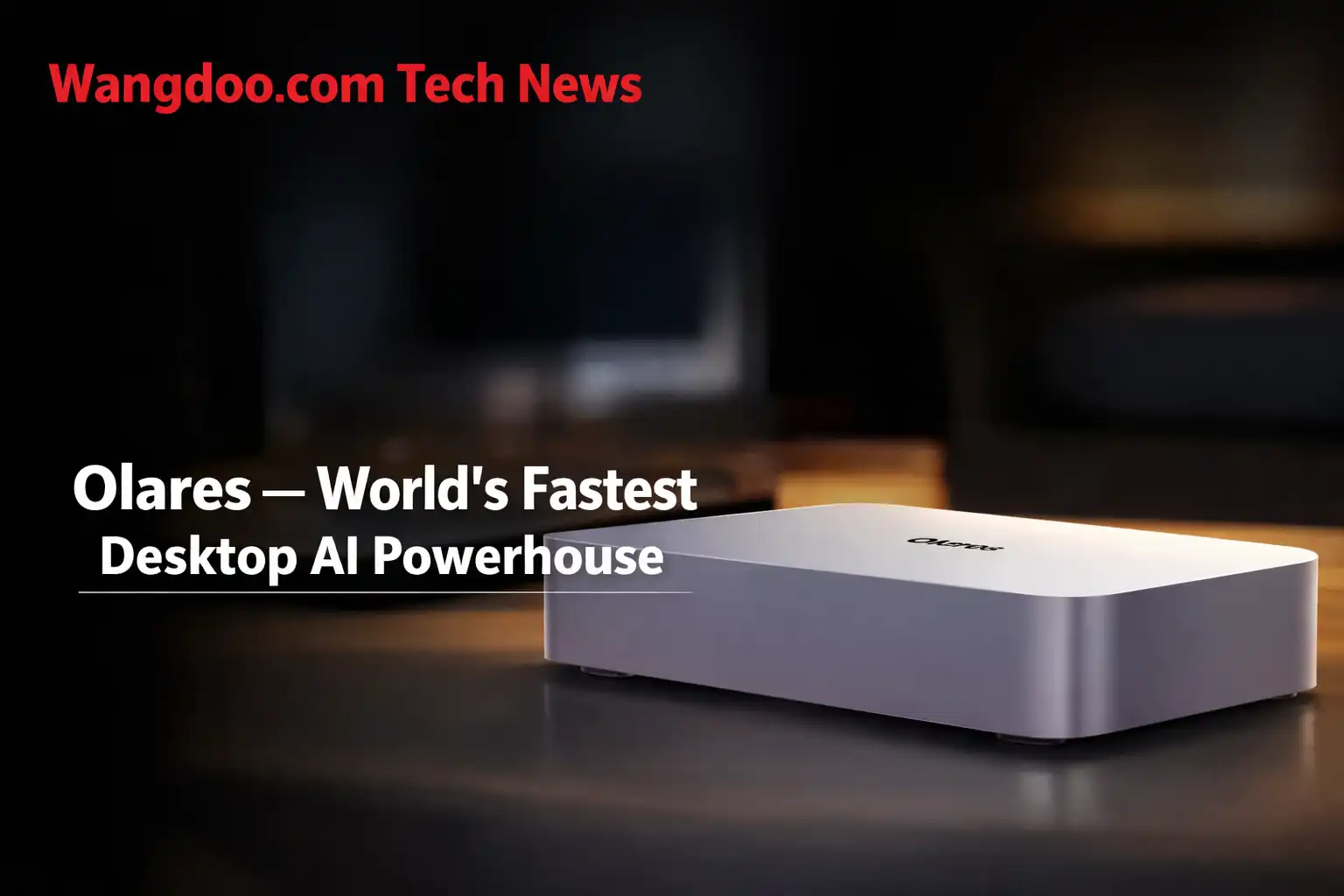
Olares — the company behind it, formally called Bec Lab — raised over $1.5 million on Kickstarter and debuted at CES 2026. The hardware is genuinely impressive: an Intel Core Ultra 9 275HX processor, an NVIDIA RTX 5090 Mobile GPU with 24GB GDDR7 VRAM, 96GB of DDR5 RAM, a 2TB NVMe SSD, all in a 3.5-litre anodized aluminium chassis running Olares OS — their own open-source operating system. What it can actually do with that hardware, and who it genuinely makes sense for, is what this article is about.
The Olares One is a purpose-built local AI mini PC — not a general-purpose computer. It runs Olares OS, an open-source operating system with 200+ pre-configured AI applications, and is designed for people who want to run large language models, image generators, and AI workflows entirely on their own hardware without sending data to cloud servers. The hardware is legitimately powerful. The $2,899 price makes sense for specific professional and privacy-focused use cases, and makes very little sense for casual AI users. The 24GB VRAM ceiling — the machine’s most important constraint — is not prominently disclosed in the marketing materials.
Official Olares One unboxing — design, ports, and what’s included. Olares official channel. All rights respective owner.
The Real Question: What Is “Local AI” and Why Would You Want It?
When you use ChatGPT, Claude, or Gemini, here is what actually happens. You type a message. It travels over the internet to a data centre operated by OpenAI, Anthropic, or Google. Their servers — running models with hundreds of billions of parameters — process it and send a response back. The entire transaction happens on someone else’s computers, using someone else’s electricity, and your query is logged by a company whose privacy policy you probably haven’t read in full.
For most people, this is completely fine. The models are excellent. The subscription is affordable. The data involved is low-stakes — asking for a recipe or help drafting an email.
For a specific group of people, it is a serious problem. A lawyer whose client communications must stay privileged. A developer whose proprietary codebase cannot be sent to OpenAI’s servers. A medical practice where patient data is subject to strict regulations. A business whose competitive intelligence must not train a competitor’s model. For these users, the cloud AI model is not an option regardless of how good it is.
Local AI is the alternative. Instead of sending queries to someone else’s servers, you run the AI model on your own hardware — the processing happens in your building, on your machine, and the data never leaves. The trade-off has historically been painful: the hardware required to run capable AI models locally was either extremely expensive, extremely large, or both.
Running a large language model locally is like trying to hold an entire encyclopaedia in your working memory at once. The “memory” in this context is GPU VRAM — the fast memory on the graphics card. The larger the AI model, the more VRAM it needs. Most consumer graphics cards have 8–16GB of VRAM. The most capable open-source models require 40–80GB to run at full precision. The Olares One has 24GB — more than most consumer hardware, but not unlimited. Understanding exactly what fits in 24GB is the most important thing to know about this machine.
The VRAM Maths — What 24GB Actually Lets You Run
This is the section the Olares marketing materials gloss over, and it is the most important thing to understand before spending $2,899. VRAM capacity determines which AI models can run on the GPU at native speed, which require quantization (compression with some quality loss), and which cannot run at all.
The relationship between model size and VRAM is straightforward. A model’s parameter count determines its base memory requirement. At full FP16 precision, each billion parameters requires approximately 2GB of VRAM. At 4-bit quantization — the most common compression format for local use — each billion parameters requires approximately 0.5GB. With 24GB of VRAM, here is what the Olares One can and cannot run:
| Model Size | Example Models | At Full Precision (FP16) | At 4-bit Quantization (Q4) | Verdict |
|---|---|---|---|---|
| 7B parameters | Llama 3 8B, Mistral 7B, Gemma 7B | ~14GB — fits | ~4GB — fits easily | ✓ Runs well |
| 13B parameters | Llama 2 13B, CodeLlama 13B | ~26GB — too large | ~7GB — fits | ✓ Runs at Q4 |
| 30B parameters | Qwen 30B, Llama 30B | ~60GB — far too large | ~15GB — fits | ✓ Runs at Q4 |
| 70B parameters | Llama 3 70B, Qwen 72B | ~140GB — impossible | ~35GB — too large | ✗ Won’t fit in VRAM |
| 120B+ parameters | GPT-OSS 120B, Llama 3.1 405B | Impossible | Still too large | ✗ Requires offloading |
When a model is too large to fit in VRAM, the Olares One — like any local AI system — offloads some layers to the 96GB system RAM. This works, but it is significantly slower. Tokens per second drops dramatically when the model is partially in VRAM and partially in RAM. Olares’ own benchmark blog confirms they used a specific optimised build of llama.cpp to run the 120B model — this is not a straightforward one-click experience. For most practical workflows, the sweet spot on this machine is quantized models up to around 30–40B parameters.
This is not a criticism of the machine — 24GB of VRAM is genuinely more than most local AI setups can offer, and 30B quantized models are capable enough for a wide range of real-world professional tasks. DB Tech Reviews — who received a unit and tested it — found the machine generates text at around 125–130 tokens per second with a 20B model, which is fast enough for real productive use. They also confirmed it can generate four 1024×1024 images in 30 seconds using ComfyUI with Qwen image models. These are meaningful real-world benchmarks.
The point is simply that the marketing leads with “personal AI cloud” and mentions 24GB VRAM as a feature, without being transparent that 24GB is a ceiling as much as a capability. A 70B model — the class of model that starts to approach cloud AI quality for complex reasoning tasks — does not run cleanly within that ceiling at useful speeds.
Olares OS — The Part Nobody Is Covering
Most of the coverage of the Olares One focuses on the hardware — the RTX 5090, the Core Ultra 9, the benchmark numbers. What is less discussed, and arguably more interesting, is Olares OS itself — because the OS is actually the product. The hardware is the delivery mechanism.
Olares OS is an open-source operating system built on Kubernetes, the container orchestration platform used by enterprise cloud infrastructure. Instead of managing applications individually, Olares OS treats your local machine as a personal private cloud — applications are containerised, resources are allocated dynamically, and the system can serve multiple users or workloads simultaneously with GPU time-sharing.
In practice this means you can run a local LLM for text generation, a Stable Diffusion instance for image generation, and a private Nextcloud server for file storage — all simultaneously, with the OS managing how the RTX 5090’s resources are divided between them. That is a genuinely different use case from a standard PC running one application at a time.
The 200+ one-click applications in the Olares App Market include not just AI tools but the kind of self-hosted software that privacy-conscious users have historically had to set up manually on a home server: Nextcloud, Immich (a private Google Photos alternative), Jellyfin (a private media server), Home Assistant, and local versions of popular productivity tools. The Olares One is positioned as a replacement for multiple cloud subscriptions — not just an AI machine.
Olares and several reviewers have made the argument that the $2,899 price pays for itself in 6 months if a team is spending $500/month on cloud AI subscriptions. The logic is straightforward: ChatGPT Team ($30/user/month), Midjourney ($10–$120/month), API credits for developers, and cloud storage fees add up quickly for a small agency or development team. If the Olares One replaces all of those — and the workloads fit within its hardware constraints — the ROI argument is genuinely defensible. The honest caveat is that it assumes consistent heavy usage of all those services, and that local model quality is acceptable as a substitute for GPT-4o or Claude 3.5 Sonnet for the tasks in question. For some workflows that is true. For others — particularly complex reasoning, coding assistance, and nuanced writing — the quality gap between a quantized 30B local model and a frontier cloud model is still real in 2026.
Who This Machine Actually Makes Sense For
Who It Does Not Make Sense For
This is the part most product coverage skips, because it reduces the audience. But it is genuinely useful information.
If you use ChatGPT a few times a week for writing help, brainstorming, or answering questions — the $20/month subscription is the rational choice. The quality of frontier cloud models in 2026 is significantly higher than the quantized 30B models that run well on local hardware. You would be spending $2,899 to get slower, less capable AI responses in exchange for privacy you probably don’t need for those use cases.
If you are a solo developer or student — the economics only work if you are spending meaningfully on cloud AI already. At $20–50/month on subscriptions, the payback period on a $2,899 machine is four to twelve years, not six months.
If you want to run GPT-4 class models locally — you can’t, on any consumer hardware. GPT-4 is estimated to have over a trillion parameters. No single consumer GPU runs it. The best local models are genuinely capable but they are not GPT-4, regardless of what the marketing implies about “enterprise-grade local AI.”
The Olares One runs Olares OS — not Windows. This means it is not compatible with Windows applications, games, or software that requires the Windows environment. TechRadar specifically flagged this as a significant limitation. You cannot install Microsoft Office, Adobe Creative Suite, or standard Windows applications on it. The machine is purpose-built for the Olares ecosystem and AI workloads — it is not a general-purpose PC replacement. If you need both Windows applications and local AI capability, this is the wrong machine.
How It Compares to the Alternatives
| Option | Cost | VRAM | Privacy | Model Quality | Setup Complexity |
|---|---|---|---|---|---|
| Olares One | $2,899 one-time | 24GB GDDR7 | Full local — no cloud | 30B quantized max practical | Moderate — Olares OS |
| ChatGPT Plus | $20/month ongoing | N/A — cloud | Data sent to OpenAI | GPT-4o — frontier quality | Zero — browser |
| DIY Local PC (RTX 4090) | ~$2,500+ build cost | 24GB GDDR6X | Full local | Same model ceiling | High — manual setup |
| Apple Mac Studio (M3 Ultra) | ~$3,999+ | 192GB unified memory | Full local | 70B+ models viable | Low — macOS |
| NVIDIA DGX Spark | $4,699 | 128GB unified LPDDR5x | Full local | 70B+ models · up to 200B at 4-bit | Moderate |
The Apple Mac Studio comparison is the most instructive one because it is the most direct competitor at a similar price point. Apple Silicon’s unified memory architecture means the M3 Ultra’s 192GB of unified memory is accessible to the GPU — effectively giving it a 192GB “VRAM” equivalent for AI workloads. That allows running 70B models at full quality, which the Olares One cannot match. The trade-off is that Mac Studio runs macOS and Apple Silicon, which has its own compatibility constraints. The Olares One’s RTX 5090 Mobile is faster for certain GPU-intensive tasks like image generation. Neither is universally superior — the right choice depends on the specific workflow.
My Take — Mr Wangdoo
The honest tension at the heart of the Olares One is this: the people who need local AI the most — professionals with genuine data compliance requirements — are also the people most likely to notice its limitations. A lawyer who needs to keep client communications off OpenAI’s servers will also notice that the local 30B model gives qualitatively different answers to complex legal reasoning questions than GPT-4o does. That gap is real and it matters for high-stakes professional use.
The people for whom the quality gap matters least — casual users who want privacy more as a principle than as a compliance requirement — are also the people least likely to justify $2,899 on principle alone when a $20/month subscription does the job better.
Where the Olares One genuinely earns its price tag is in the middle: image generation at scale, local coding assistance for proprietary codebases, small teams with high API spend, and self-hosting enthusiasts who want to consolidate multiple services onto one capable machine. For those users, the hardware is legitimate and the Olares OS ecosystem is meaningfully more accessible than building the same setup from scratch on Linux.
The thing I find most interesting about this product is not the hardware — it’s the bet on Olares OS itself. The hardware will be outdated in two years. The ecosystem of 200+ self-hosted applications, if Olares builds it well, compounds in value over time. That is either the company’s durable competitive advantage or the thing that makes this a very expensive paperweight if Bec Lab runs out of funding. Given that they raised $1.5 million on Kickstarter and debuted at CES, the former seems more likely. But it is the right question to ask.
Frequently Asked Questions
What is the Olares One and what makes it different from a normal PC?
The Olares One is a purpose-built local AI mini PC — not a general-purpose computer. It runs Olares OS, an open-source operating system built on Kubernetes, with 200+ pre-configured AI applications available for one-click deployment. The hardware — RTX 5090 Mobile, Core Ultra 9 275HX, 96GB RAM — is designed specifically to run AI models locally on your own machine, so your data never leaves your building. The key difference from a standard PC is the combination of high-end AI-focused hardware with a pre-configured operating system designed around AI and self-hosted application workloads.
Why does local AI require so much hardware?
AI language models are stored as billions of numerical parameters that must be loaded into GPU memory (VRAM) to run at useful speeds. A 7B parameter model requires approximately 4GB of VRAM at 4-bit compression. A 30B model requires approximately 15GB. A 70B model requires approximately 35GB — more than the Olares One’s 24GB can hold in VRAM alone. The more parameters a model has, generally the more capable and nuanced its reasoning. The hardware constraint is why local AI models, while genuinely capable, are not equivalent to the frontier cloud models like GPT-4o which have hundreds of billions of parameters running on specialised data centre infrastructure.
Can the Olares One run ChatGPT-quality AI models?
No — and no consumer hardware can. GPT-4 is estimated to have over a trillion parameters requiring specialised data centre infrastructure to run. The Olares One runs open-source models up to approximately 30–40B parameters at quantized quality — models like Llama 3, Qwen, and Mistral variants. These are genuinely capable for many professional tasks including coding assistance, document drafting, and summarisation. For complex reasoning, nuanced analysis, and tasks that specifically benefit from the scale of frontier models, the quality gap is real. This is not a criticism of the Olares One specifically — it applies to all local AI hardware at this price point.
Does it run Windows?
No. The Olares One runs Olares OS — Bec Lab’s own open-source operating system based on Kubernetes. Windows applications, games, and standard desktop software are not compatible. The machine is designed exclusively for the Olares ecosystem and AI workloads. If you need Windows alongside local AI capability, the Olares One is not the right device. A custom-built PC with an RTX 5090 or 4090 running Windows with Ollama installed would give you both, at a comparable or lower price — though without Olares OS’s pre-configured application ecosystem.
Is the $2,899 price justified compared to a cloud subscription?
It depends entirely on your usage pattern. For a solo user spending $20/month on ChatGPT Plus, the payback period is over ten years — the subscription is clearly the rational choice. For a small team of five spending $400–500/month on cloud AI tools (ChatGPT Team, Midjourney, API credits), the payback period drops to 6–8 months — and the ongoing savings after that are real. The ROI argument is strongest for teams with consistent, high-volume AI workloads where the local model quality is acceptable for their specific tasks. The honest calculation also needs to include whether the local model quality actually meets the team’s needs — if cloud model quality is required for the work, the comparison breaks down regardless of cost.
How does it compare to building your own local AI PC?
A DIY PC with an RTX 4090 (24GB VRAM) running Windows and Ollama gives you the same VRAM ceiling as the Olares One for approximately $2,000–2,500 in parts — potentially cheaper. You get Windows compatibility and the flexibility to use any software. The trade-off is significant setup effort: installing and configuring Ollama, Stable Diffusion, open-source image generators, and self-hosted applications manually requires meaningful technical knowledge. Olares OS provides pre-configured one-click access to 200+ applications that would each require individual setup on a DIY machine. Whether that configuration value is worth the price premium depends on how technically comfortable you are with Linux and self-hosted software.
Who makes the Olares One and are they credible?
The Olares One is made by Bec Lab, the company behind the Olares open-source operating system. The company raised over $1.5 million on Kickstarter, debuted at CES 2026, and has published detailed benchmark methodology on their blog — including honest disclosure of the specific builds required to run their larger model tests. Olares OS itself is open-source and publicly auditable on GitHub, which is a meaningful credibility signal for a privacy-focused product. DB Tech Reviews received a physical unit and confirmed real-world performance consistent with the company’s published benchmarks. The main credibility question for any new hardware company is long-term support and software updates — a factor that cannot be assessed until the machine has been in the field for a year or more.
- Olares Official Blog — Local AI Hardware Performance Benchmarking — VRAM methodology, model compatibility, and token generation data (November 2025)
- DB Tech Reviews — Olares One hands-on review — real-world token generation, image generation, and performance benchmarks (November 2025)
- Notebookcheck — Olares One hardware analysis — VRAM limitations and cooling architecture (2025)
- TechRadar — Olares One — Windows incompatibility, AI benchmark context, specifications (2026)
- Liliputing — Olares One — personal cloud mini PC overview and community response (November 2025)
- AI Agents Kit — Best GPU for running AI locally — VRAM requirements by model size, 2026 guide